1
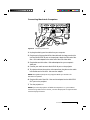
Connecting PCs
To Projector
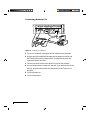
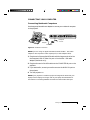
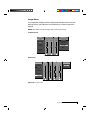
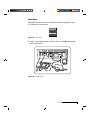
Figure 1-7
VGA
VGA
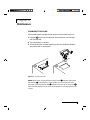
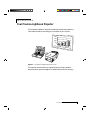
Use the included VGA video cable to connect your PC to the projector’s
COMPUTER IN port. If you want to use your monitor and Lightbook
projector at the same time, use your existing monitor cable to connect the
projector to the monitor.
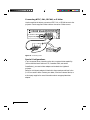
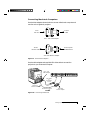
VGA Connector Cable
To Computer
VGA Video cable
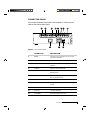
Serial
Computer In
Monitor Out
S-Video Video In
L
R
In–Audio–Out
VGA Cable
To Computer In
From
Monitor Out
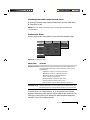
Figure 1-8
Connecting a PC
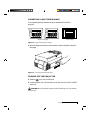
1 Unplug the monitor cable from the computer.
2 Plug the end of the supplied VGA cable with the large round collar into
the projector’ COMPUTER IN port. Plug the other end of the VGA cable
into the computer’s Video Out (VGA) port.
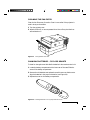
3 If you want audio, connect your audio source to the AUDIO IN port on
the projector.
4 If you want to use an external monitor, connect the monitor cable to the
projector’s MONITOR OUT port.
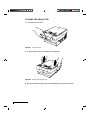
5 Turn the projector on.
NOTE: An external monitor is not required to use the Lightbook projector.
1-6
Chapter One