1
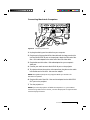
CONNECTING AN S-VIDEO SOURCE
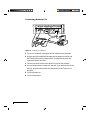
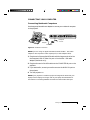
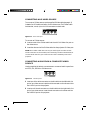
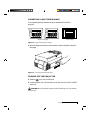
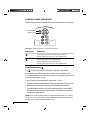
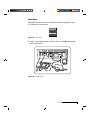
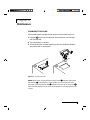
To connect an S-Video source, use the supplied S-Video cable (see page i-2)
instead of an RCA cable connection for the video source. The S-Video cable
has identical, round, 4-pin mini-DIN connectors on both ends.
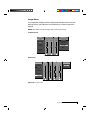
S-Video Video In
Figure 1-13
R
L
The S-Video port
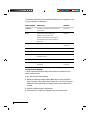
To connect an S-Video source:
1 Insert one end of the S-Video cable into the mini-DIN Video Out port on
the video source.
2 Insert the other end of the S-Video cable into the projector’s S-Video port.
NOTE: The S-Video cable does not carry an audio signal. Use the red and
white connectors on the AV cable (see Connecting L-Audio-R Ports below) to
connect Audio Out from your video source to the L-AUDIO-R ports on the
projector.
CONNECTING AUDIO FROM A COMPOSITE VIDEO
SOURCE
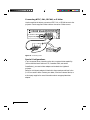
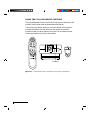
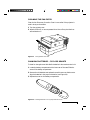
Use the supplied AV cable to connect stereo or monaural audio inputs from
an NTSC, PAL, SECAM or S-Video source.
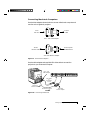
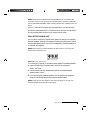
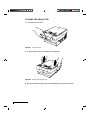
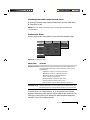
Video In
Figure 1-14
L
R
L-Audio-R ports
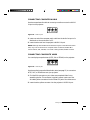
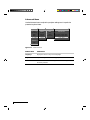
1 Insert one of the white connectors on the AV cable into the left Audio Out
port of your video source. Insert the white connector on the other end into
the L-AUDIO port on the projector.
2 Insert one of the red connectors on the AV cable into the right Audio Out
port of your video source. Insert the red connector on the other end into
the R-AUDIO port on the projector.
1-10
Chapter One