1
Knowing Cost and Duration of Calls
e s
s
U
n
o
l
i
a
t
i
a
c
c
r
i
e
n
u
m
m mm
o
C Co
r
o le
f
t bi
o
N Mo
n
o
s
s
ic
4. Press YES.
Call Time
5. Enter the PIN2 and press YES.
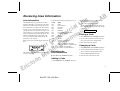
Your phone can keep track of the duration of
calls in three ways. Select the Info menu to
check:
Total Calls:This feature shows the total time
of all calls in hours and minutes since the
counter was last set.
● Outgoing Calls:This feature tracks the time
of all your outgoing calls in hours and minutes since the counter was last set.
● Last Call:This feature tracks the duration of
your last call in minutes and seconds. This information appears in the display after a call
has been finished.
When a call finishes you look at the display to
find out how long your call lasted.
●
Viewing the Call Cost
When you end a call, the cost (or the number of
call units) is displayed. To view the total cost
(or the total number of call units), select the
Info menu.
Call Cost
The duration of calls can be displayed as cost instead of time while a call is in progress, if your
network and SIM Card support this feature.
You can specify any rate you wish.
Activating the Call Cost
Function
Setting a Cost Counter
If you have activated the call cost function, you
can also specify a cost limit. The cost of each
call will then be deducted from the specified
amount. 30 seconds before the amount equals
zero, you will hear two warning beeps.
Specifying a Cost Limit
1. Select Call Info from the Settings menu.
1. Select Credit from the Info menu.
2. At the prompt Cost? press YES.
2. Select New Credit.
Specify the Price per Call
Unit
3. Enter the cost limit and press YES.
1. Select the Info menu.
2. Scroll to the counter option you want to set or
reset and press YES.
1. Select Set Price? From the Info menu.
Resetting a Call Unit
Counter
3. Press YES at the reset prompt.
r
E
28
B
A
2. At the prompt Curr: enter the currency (GBP
for Pounds Sterling, for instance) or disregard. Press YES.
3. Enter the call unit rate. To enter a decimal
point, press .
EN/LZT 126 1433 R1A
4. Enter the PIN2 and press YES.
Viewing Remaining Credit
You can view the remaining amount of credit in
the display when you end the call. You can also
select the Info menu and then scroll to the
Credit function. The word Credit and the remaining amount toggle in the display.