1
Timer
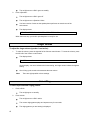
You can access this feature with the softkeys only if the feature name, Timer, appears on the second line of
one of the feature option screens.
To view the elapsed time:
1.
Press <Menu> and then the softkey below Timer (if available on your display).
or, Press <Timer>.
The display shows the elapsed time.
2.
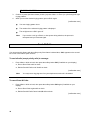
To stop the timer and clear the display, press <Menu> and then the softkey below Timer again (if
available on your display).
or, Press <Timer> again.
The elapsed time is displayed on the screen for about four seconds and then disappears.
Transfer
To send the present call to another number:
1.
Press <Transfer>.
[dial tone]
The present call is put on hold.
The green light flutters.
You are given a new call appearance button.
2.
Dial the number to which the call is to be transferred.
3.
[ringback tone]
Remain on the line and announce the call. If the line is busy of there is no answer, return to the
call on hold by pressing its call appearance button.
4.
Press <Transfer> again.
The call is sent to the dialed number.
5.
21
Hang up.