1
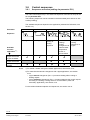
4.2
Commissioning
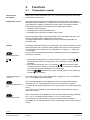
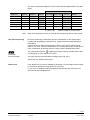
The room thermostats are delivered with a fixed set of applications.
Applications
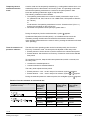
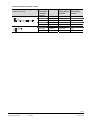
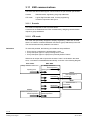
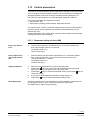
Select and activate the relevant application during commissioning using one of the
following tools:
– Local DIP switch and HMI
– Synco ACS
– ETS3 Professional
(Parameter and application download with ETS3 will be implemented later)
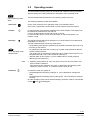
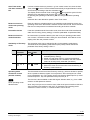
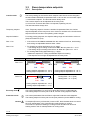
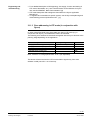
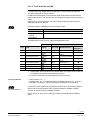
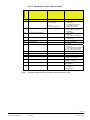
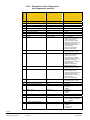
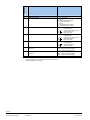
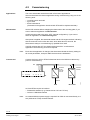
Set the DIP switches before snapping the thermostat to the mounting plate, if you
want to select an application via DIP switches.
DIP switches
All DIP switches need to be set to “OFF” (remote configuration), if you want to
select an application via commissioning tool.
After power is applied, the thermostat resets and all LCD segments flash, indicating
that the reset was correct. After the reset, which takes about 3 seconds, the
thermostat is ready for commissioning by qualified HVAC staff.
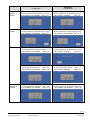
If all DIP switches are OFF, the display reads "NO APPL" to indicate that
application commissioning via a tool is required.
Note:
Each time the application is changed, the thermostat reloads the factory setting for
all control parameters, except for KNX device and zone addresses!
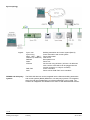
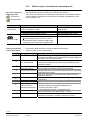
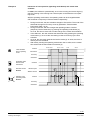
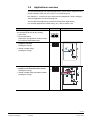
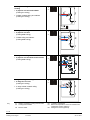
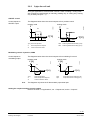
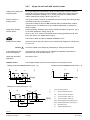
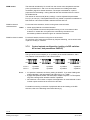
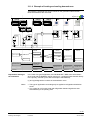
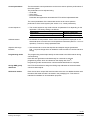
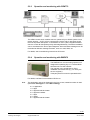
Connect the Synco ACS or ETS3 Professional tools to the KNX bus cable at any
point for commissioning:
Connect tool
KNX
KNX
M
X2
L
X1
N
Q1 Q2 Q3
D1 GND
Y1 Y2
CE+ CEY3 Y4
N1
Siemens
N148 /
UP146 /
UP152
Siemens
OCI700
KNX
USB
V24
ETS
ETS / ACS
3191A03
RS232
ACS and ETS3 require an interface:
– RS232 KNX interface (e.g. Siemens N148 / UP146 / UP152)
– OCI700.1 USB-KNX interface
Note:
An external KNX bus power supply is required if an RDG is connected directly to a
tool (ACS700 or ETS3) via KNX interface.
68 / 86
Siemens
Building Technologies
RDG100KN Basic documentation
Handling
CE1P3191en
22 Jun 2010