1
Setting Measurement Conditions
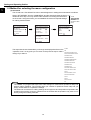
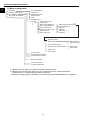
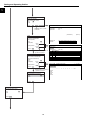
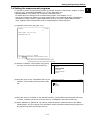
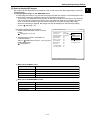
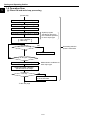
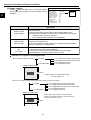
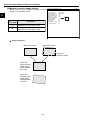
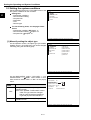
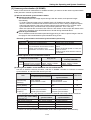
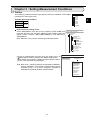
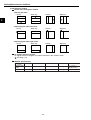
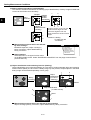
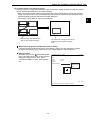
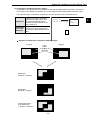
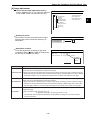
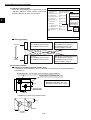
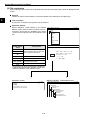
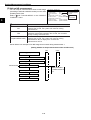
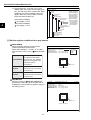
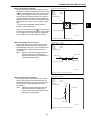
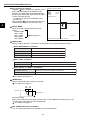
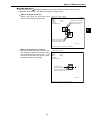
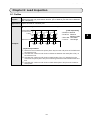
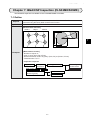
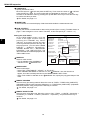
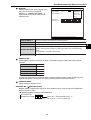
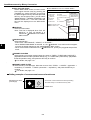
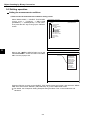
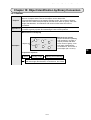
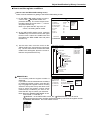
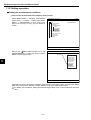
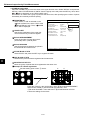
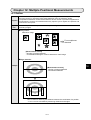
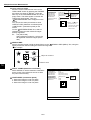
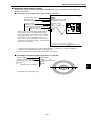
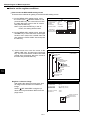
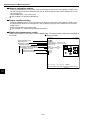
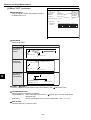
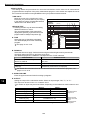
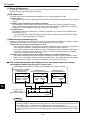
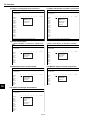
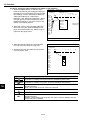
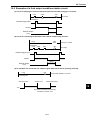
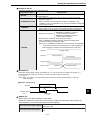
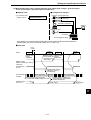
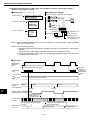
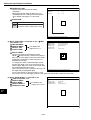
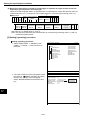
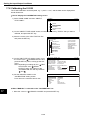
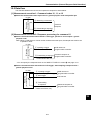
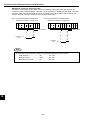
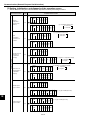
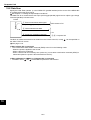
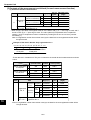
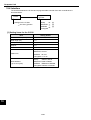
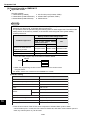
(3) Setting window boundaries (enable/disable)
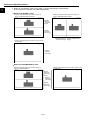
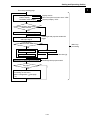
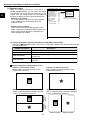
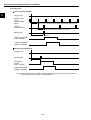
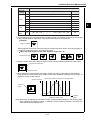
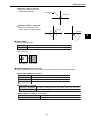
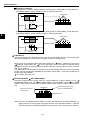
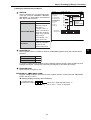
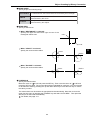
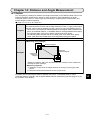
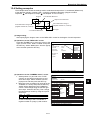
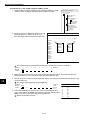
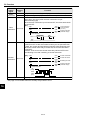
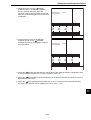
This function enables and disables the labeling (object identification) of binary images located that
cross over the window frame boundary.
Window
3
Binary
conversion
Labeling
(enable
window
boundaries)
Labeling
(disable window
boundary)
1
1
2
3
4
Images 1 and 3 cross over the
window frame edges and are
measured together with the
areas outside the window frame
edges.
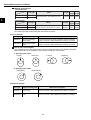
Condition: Labeling
(in order they are
connected)
2
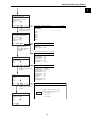
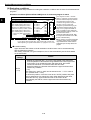
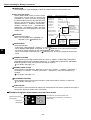
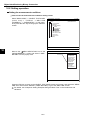
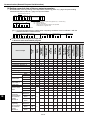
Measurement programs which are affected
by these settings
BGA/CSP inspection, object counting by
binary conversion, object identification by
binary conversion
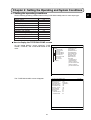
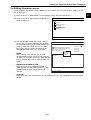
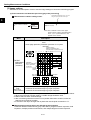
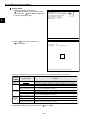
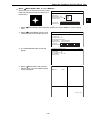
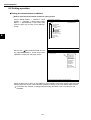
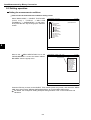
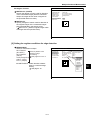
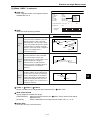
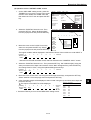
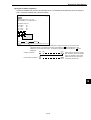
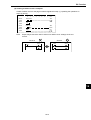
F C1 BRT
REG COND SCREEN COND SAVE DETAIL
1REGISTER NO.
0(0~3)
□MASK REGIST.
□BINARY PROCESS
□BINRY NOISE FILT
□BOUNDARY PROCESS
□AREA FILTER
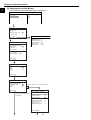
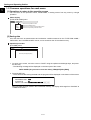
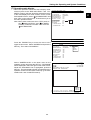
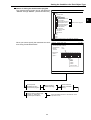
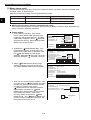
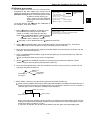
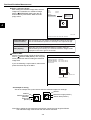
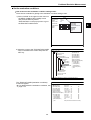
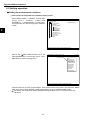
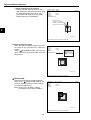
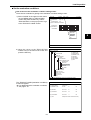
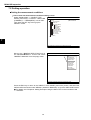
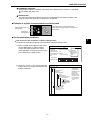
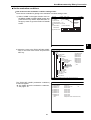
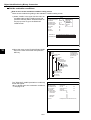
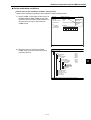
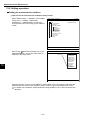
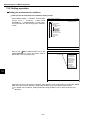
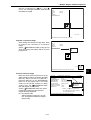
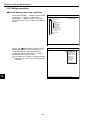
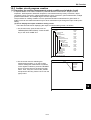
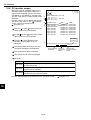
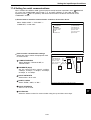
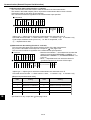
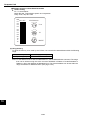
Setting method
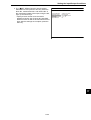
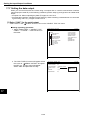
Select "DETAIL" in the upper function menu
on the REG COND screen. Select "BOUNDARY PROCESS" from the popup menu and then
press the SET key.
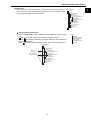
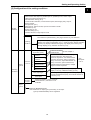
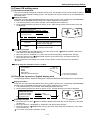
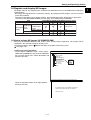
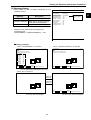
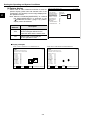
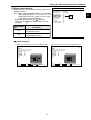
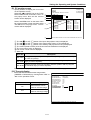
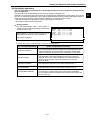
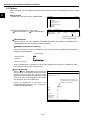
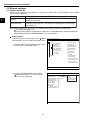
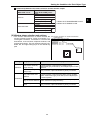
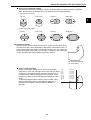
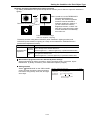
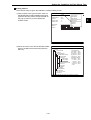
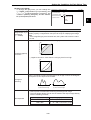
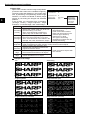
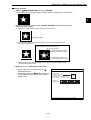
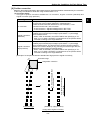
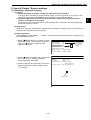
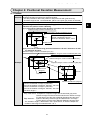
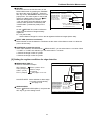
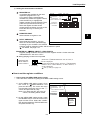
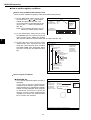
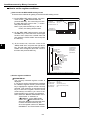
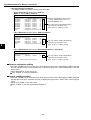
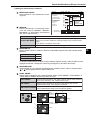
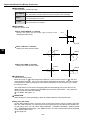
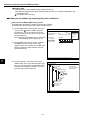
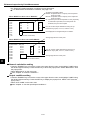
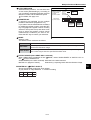
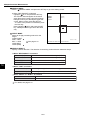
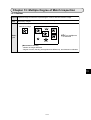
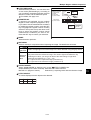
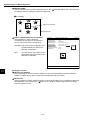
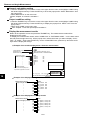
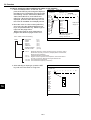
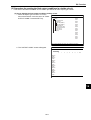
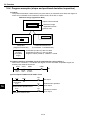
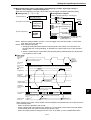
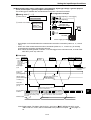
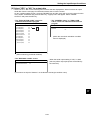
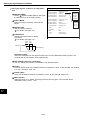
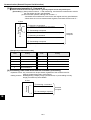
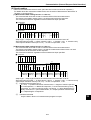
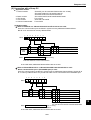
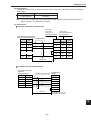
(4) Object identification and numbering function (labeling)
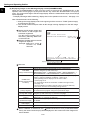
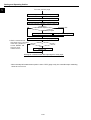
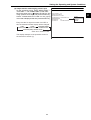
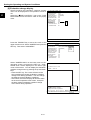
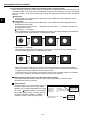
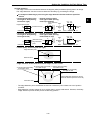
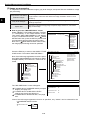
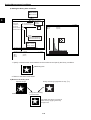
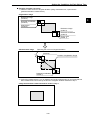
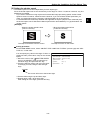
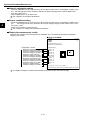
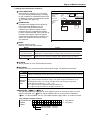
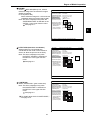
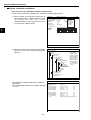
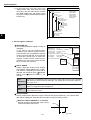
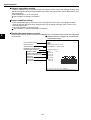
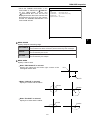
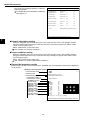
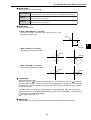
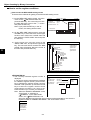
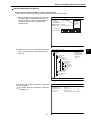
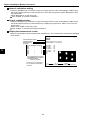
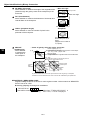
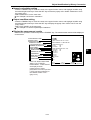
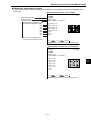
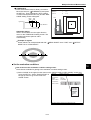
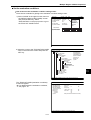
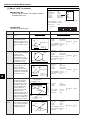
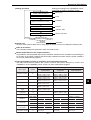
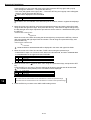
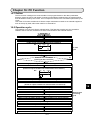
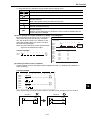
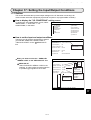
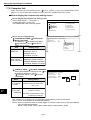
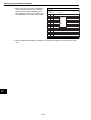
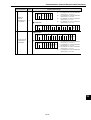
Object identification and numbering (labeling) is a process for locating separate object and assigning
serial numbers (labels) one at a time in a binary image. By this process, multiple objects in the same
binary image can be handled separately or as a group.
1
2
Object
identification
(in order of
scanning)
Binary
conversion
3
3
Object identification
(in order of area)
2
4
Island
Island
4
1
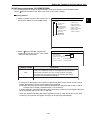
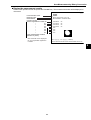
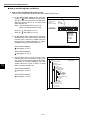
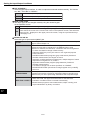
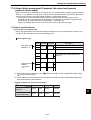
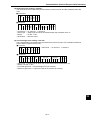
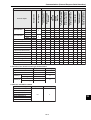
Measurement programs which are affected by these settings
Object counting by binary conversion, object identification by binary conversion
3-12