1
Maintaining the printer................................................................................................23
Changing the print cartridges............................................................................................................23
Removing a used print cartridge................................................................................................................. 23
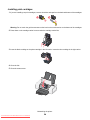
Installing print cartridges............................................................................................................................. 24
Achieving better print quality.............................................................................................................25
Improving print quality ................................................................................................................................ 25
Aligning the print cartridges ........................................................................................................................ 25
Cleaning the print cartridge nozzles ........................................................................................................... 25
Wiping the print cartridge nozzles and contacts ......................................................................................... 26
Preserving the print cartridges...........................................................................................................27
Ordering supplies..............................................................................................................................27
Recycling Lexmark products.............................................................................................................28
Troubleshooting...........................................................................................................29
Setup troubleshooting........................................................................................................................29
Power light is not lit..................................................................................................................................... 29
Software does not install ............................................................................................................................ 29
Page does not print .................................................................................................................................... 30
Print troubleshooting..........................................................................................................................32
Improving print quality ................................................................................................................................ 32
Poor text and graphic quality ...................................................................................................................... 32
Poor quality at the edges of the page......................................................................................................... 33
Print speed is slow...................................................................................................................................... 34
Printer does not print or respond ................................................................................................................ 35
Jams and misfeeds troubleshooting..................................................................................................35
Paper jam in the printer .............................................................................................................................. 35
Paper jam in the paper support .................................................................................................................. 35
Paper or specialty media misfeeds............................................................................................................. 35
Printer does not feed paper, envelopes, or specialty media....................................................................... 36
Banner paper jams ..................................................................................................................................... 36
Blinking power light troubleshooting..................................................................................................37
Power light blinks slowly............................................................................................................................. 37
Power light blinks rapidly ............................................................................................................................ 37
Error messages troubleshooting........................................................................................................37
Cartridge Alert ................................................................................................................................... 37
Black cartridge replacement required...................................................................................... 37
Color cartridge replacement required...................................................................................... 37
Black and Color cartridge replacement required ................................................................ 38
Paper Jam ................................................................................................................................................ 38
Out of Paper.......................................................................................................................................... 38
Removing and reinstalling the software............................................................................................38
Contents
4
Downloaded From ManualsPrinter.com Manuals