1
Advanced features
5
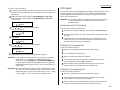
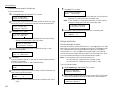
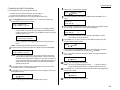
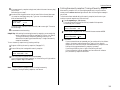
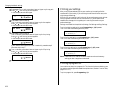
Press
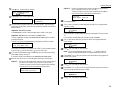
until Store Document appears.
14
Type :Store Document
←/→/Enter
6
7
8
9
Press
Press ENTER.
If you select the Polling Document operation, skip to step 14.
If you select the F-Code Document operation, go on to step 9.
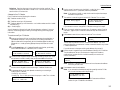
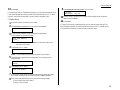
Select F-Code Box
03:Muratec America
11
12
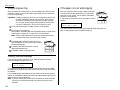
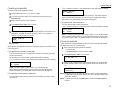
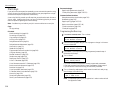
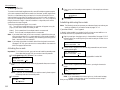
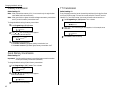
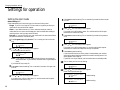
Press ENTER. The LCD asks if you want the box to overwrite (erase) any documents it is currently storing whenever it stores a new document.
On: When your machine stores a new document into this box, it will overwrite documents stored in it.
Off: When your machine stores a new document into this box, it won t erase
(overwrite) any documents stored in it. Your machine can store up to 30
documents in each box (each document can include one or more pages).
3.48
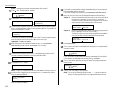
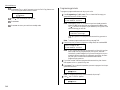
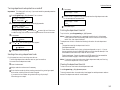
Press until the mode you want appears.
Then press ENTER to save the setting.
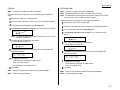
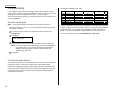
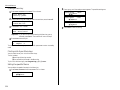
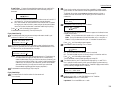
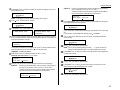
The LCD asks which resolution you want each time you use this programmable one-touch number.
Resolution :-----←/→/Enter
16
Press until the mode you want appears.
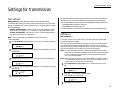
Note: For any of the following settings, choosing --- tells the machine to
use its default setting for this programmable one-touch key.
17
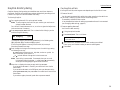
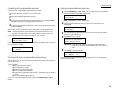
Press ENTER. The LCD asks which contrast mode you want each time you use
this programmable one-touch number.
Contrast :------←/→/Enter
18
19
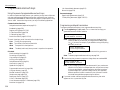
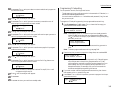
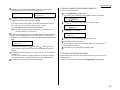
To select a different F-Code box than the one that appears on the LCD, enter
that box number now.
Overwrite Doc. :Off
←/→/Enter
13
15
The LCD asks which F-Code bulletin box you want to use.
Use the numeric keypad to enter the two-digit identifier number (01-50) of
the F-Code box in which you want to store the document. Here, we ve entered
0, 3:
:Off
←/→/Enter
If you do not want to program additional settings, press ENTER. Go to step 22.
If you do want to program additional settings, press and ENTER, then go on
to step 15.
until the mode you want appears.
Select F-Code Box
01:Murata Machinery
10
Option
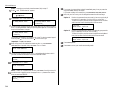
Press ENTER. The LCD asks which storing menu you want to program into the
programmable one-touch:
P2:Polling Document
←/→/Enter
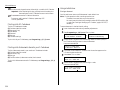
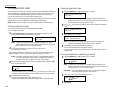
The LCD asks if you want to program additional settings for this one-touch.
Press
until the mode you want appears.
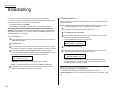
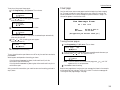
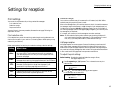
Press ENTER. The LCD asks if you want the Fax & Copy feature on or off each
time you use this programmable one-touch number.
Fax & Copy
:--←/→/Enter
20
21
22
Press
until the mode you want appears.
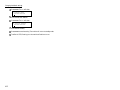
Press ENTER.
Press STOP to return your machine to standby mode.