1
Advanced features
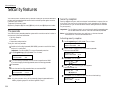
Masking the PIN
To prevent unauthorized long-distance calls, some office telephone systems require
you to enter a personal identification number (PIN) whenever you dial long distance.
Your fax s PIN mask feature helps you keep that PIN number private. With the PIN
mask activated, you can dial a fax number plus a PIN, but the PIN will not appear in
a journal, error message printout, delayed command list or a TCR. The PIN may be up
to eight characters in length. It also can include the * or # symbols, and it can be
entered from the numeric keypad.
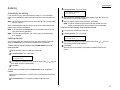
There are three possible settings for the PIN mask:
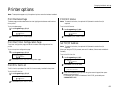
Off Turns off the PIN mask feature. Any PIN you enter will appear on any display or printout which shows the number you dial.
Mode 1 E a ch remote fax unit has a departmental PIN access code.
Mode 2 E a ch fax user has a departmental PIN access code.
Note: If you select Mode 1 and you will use a one-touch or speed-dial number, you
must store the remote unit s PIN access code within that number. However, if
you select Mode 2, this isn t necessary. (See Autodialing while using the PIN
mask, next column for further details.)
Note: If you select either Mode 1 or Mode 2 and will be using batch transmission
(see pages 3.12 3.14), you must store the PIN access code for the remote unit
within the appropriate batch box.
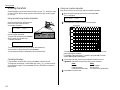
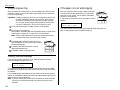
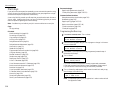
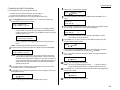
Activating the PIN mask
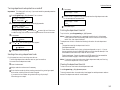
4
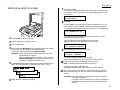
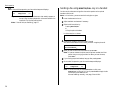
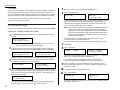
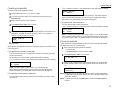
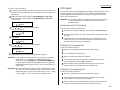
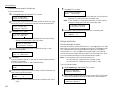
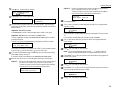
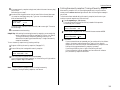
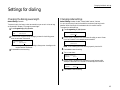
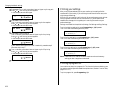
Press Program key, B, 2, 1, 2, ENTER. The LCD shows:
PIN Mode
Enter Passcode :****
2
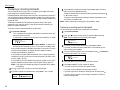
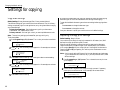
Use the numeric keypad to enter the four-digit passcode. Here, we ve entered
6296.
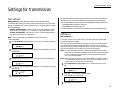
5
3
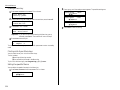
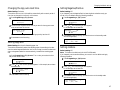
Press ENTER.
PIN Mode
:Off
←/→/Enter
3.52
Press ENTER.
Autodialing while using the PIN mask
Note: The following instructions presume you understand how to set and use your
machine s autodialer. If you need to review, see pages 3.1 3.9.
If you chose Mode 1
the
PIN goes in
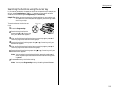
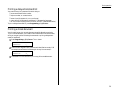
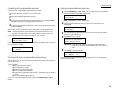
In Mode 1, before autodialing a number for the first time, you must add the PIN to
the stored one-touch key or speed-dial number. Here s how:
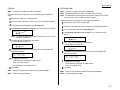
1
Begin by creating or changing an entry in the autodialer. See pages 3.1 3.9 if
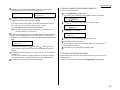
necessary. While you re setting this up, the machine asks you to enter the PIN.
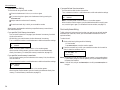
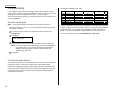
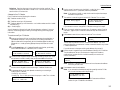
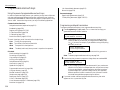
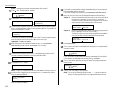
The LCD shows:
Set PIN Number
Enter Passcode :****
2
Use the numeric keypad to enter the four-digit passcode. Here, we ll use our
sample passcode again.
Set PIN Number
Enter Passcode :6296
3
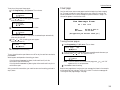
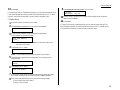
Press ENTER. In our example, we re setting speed-dial number 001:
001:PIN Number
_
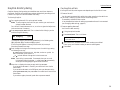
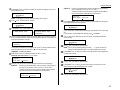
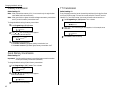
4
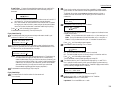
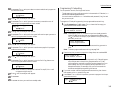
PIN Mode
Enter Passcode :6296
Note: If you enter an invalid passcode, the machine s security feature rejects
the attempt and returns to standby mode.
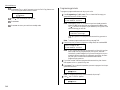
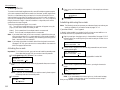
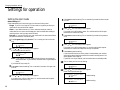
until the mode you want appears. In this example, we ve chosen
PIN Mode
:Mode1
←/→/Enter
Important: For this feature to work, you must have activated the passcode protection as described on page 3.50. You must also know the passcode.
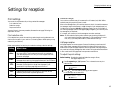
1
Press or
Mode1.
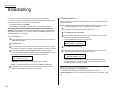
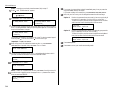
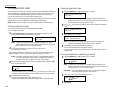
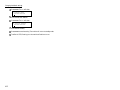
Use the numeric keypad to enter the desired PIN, up to eight characters in
length.
001:PIN Number
1057_
5
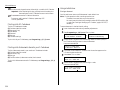
Press ENTER to save the PIN.
Note: If you press ENTER without entering the PIN, the fax machine beeps,
indicates Invalid Number on the LCD and then returns to step 4.
Now you may autodial the number as usual.