1
Technical Specification
XM Series
Retail printing scales
XM100
Description
General
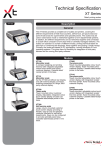
The XM series provides a complete set of scales and printers, covering the different requirements of fresh food counters, self-service, pre-pack areas, bakery
and point of sale areas for supermarkets and speciality stores. The scales may be
used in stand-alone mode or networked together to form departmental systems.
In addition, the different departments can be networked together and connected
to a back office computer, to form store-wide or centrally managed networks. The
scales can operate in a number of different modes, printing individual labels for
each item or combining the shoppers’ items together and printing a single receipt.
Models
XM200
XM100
Monobloc scale
A compact weighing and printing
terminal with integrated adjustable
colour touch vendor and colour
customer displays. Cassette label/
XM100in the base.
receipt printer
XM200
Tower scale
Tower mounted colour customer
display. Adjustable, integrated colour
touch vendor display on base unit.
Cassette label/receipt printer in the
base.
XM400
XM300
Self-service scale
Large customer keyboard providing
104 preset keys and customer display
on the column. Keys can be configured
to provide single double or quad keys.
Cassette label/receipt printer in the
base.
XM400
Two-piece scale
Tower mounted adjustable colour touch
vendor display. Tower mounted colour
customer display. Cassette label/
receipt printer in the base.
XM410
Two-piece scale
Tower mounted adjustable colour touch
vendor display with integrated receipt/
liner-less printer. Tower mounted colour
customer display.
XM420
Two-piece scale
Tower-mounted, adjustable colour-touch
vendor display with integrated receipt/
liner-less printer. Tower-mounted colour
customer display. Cassette label/receipt
printer in the base.
XM500
Hanging scale
Integrated adjustable colour touch
vendor and colour customer displays.
Suspended from the ceiling from a pole.
XM600
System printer
Integrated adjustable colour touch
vendor display. Cassette label/receipt
printer in the base. Optional colour
customer display. Optional “connection
pack” enabling connection to remote
platform and wrapper.
XM601/FX100D
As MX600 but with remote FX100D
platform for simple weigh/wrap
applications.
1
XM Series Technical Specification
At-a-glance XM Series specification
Feet locations (spacing w x d)
Approx. 271 x 233mm
(w x d x h)
• Mono
• Mono + tower
• Self-service
• Two-piece - base printer
• Two-piece - raised printer
• Two-piece - dual printer
• Hanging
• Non-weigh ECR/pre-pack printer
XM100 408 x 466 x 156mm
XM200 408 x 556 x 528mm
XM300 408 x 493 x 721mm
XM400 408 x 405 x 528mm
XM410 408 x 478 x 502mm
XM420 408 x 478 x 502mm
XM500 408 x 312 x 775mm
XM600 268 x 271 x 364mm
•
Standard capacities
15kg AVR
•
Options
30kg x 5g, 6kg AVR on XM100
30kg x 5g on XM200
•
Out-of-level compensation
Yes - Valumax
•
Protected metrology unit (service
electronics without need to
restamp/break seals)
Yes
•
Power supply - rating & type
100-240VAc, 50/60 Hz, Internal
•
Power saving mode
Yes, auto reduce to 20-25% of normal
running power or 4 to 5w
Technology base
•
Processor
Freescale ARM 9 processor, 32-bit
Memory
•
Std/max memory
256MB on-board Flash, max 32 GB SD
Flash card
•
No. PLUs at 20 chars/PLU
20000+
Networking: inter-scale
•
Inter-scale network
Ethernet as std, 10/100 base-T auto
switch
Networking: Host l/f
•
Networking host l/f
Ethernet as standard
•
Number of host networks/servers
Unlimited
RF comms
•
RF: inter-scale and host
Optional: internal USB WiFi device 802.11b/g/i/n
Displays
•
Operator display
7” active colour WVGA TFT: 800 x 480:
resistive 5-wire touch screen mounted
on tiltable fixture
•
Customer display
7” active colour WVGA TFT: 800 x 480
Dimensions
Metrology
Power
Interfaces
5 x USB interfaces
USB memory
device support
Yes
Sound
Full sound system with speaker
2
XM Series Technical Specification
At-a-glance XM Series specification (continued)
Keyboard
Label/receipt printer
Label/receipt printer general
Raised printer
Modes
•
Keyboard type
7” touch with 20 additional
programmable keys and tactile numeric
keypad
•
No. programmable keys
Hundreds with 2 key presses
•
Self-serve - number of keys
104 x 2
•
Cassette
Yes, single action
•
Label/receipt roll diameter
120mm
•
Max print width
70mm
•
Edge-to-edge printing @ max
print width
Yes
•
Backwind
Yes
•
Max paper width
73mm
•
Maximum print length
300mm
•
Print speed
150mm/s
•
User-replaceable print head
Yes
•
Easy-to-load graphics on labels
save on pre-printing
Yes
•
High-resolution grey-scale
printing
Automatic grey-scale printing from any
black and white or colour graphic
•
Print-head monitoring/warning
Yes - ‘Codechecker’ - so only
scannable barcodes are produced
•
Models covered
XM410, 420
•
Roll diameter
100mm
•
Max print width
56mm
•
Max paper width
60mm
•
Print speed
150mm/s
•
Linerless adhesive paper
Yes
•
Drop-in paper loading
Yes, cassette system
•
Label
Yes
•
Receipt
Yes
•
ECR
Yes
•
Pre-pack
Yes
3
XM Series Technical Specification
Hardware
Processor & memory
XM series uses an ARM9-based
IMX27 processor from Freescale.
There is 256MB of flash memory,
128MB of SDRAM and a 2GB SD
Card. The flash memory holds the
boot loader, application, and system
settings which are loaded into the
SDRAM for operational purposes.
Customer data is held and operated
from the flash with third-party data
such as videos, sounds, images, etc
being stored on the SD Card.There
is around 170MB available for
customer data on the flash memory.
The number of PLUs that can be
stored varies with the number and
lengths of various texts stored.
Weighing
All models are available as 15kg
AVR which gives 2g increments to
6kg and 5g increments from 6 to
15kg.
XM100 is optionally available as
30kg x 5g and 6kg AVR which
gives 1g increments to 3kg and 2g
increments from 3 to 6kg.
XM200 is optionally available as
30kg x 5g.
Every XM has the loadcell
metrologically sealed to enable the
main components outside of the
weighing mechanism to be serviced
without breaking any weights and
measure seals.
on theTouch
network.
screen &
tactile keypad
The input devices on XM consist
of a transparent touch screen and
tactile keypad.
The touchscreen uses 5 wire
resistive technology and is thus
extremely robust. Not only does the
touchscreen cover the display area,
but also extends below to provide
20 programmable keys similar to
those found on traditional button
key-operated machines.
The tactile keyboard comprises the
numeric pad, Fix, Tare and Zero
keys, Enter and Cancel keys plus
a Menu key which displays a menu
of additional available functions to
the user. The functions displayed
are dependent upon the current
screen being displayed and how the
machine has been set up.
Displays
Both vendor and customer displays
are TFT, 7” active colour WVGA with
800 x 480 pixels. The displays can
be configured to deactivate after a
specified period of inactivity and the
machine can also be configured to
switch off the displays at a specified
time. When this happens, the scales
on wired ethernet consume around
80% less power than when in full
use (non-printing) and those on
wireless RF around 75% less. This
reduces power consumption to 4-5
watts when in this state.
Valumax technology
Printing
Valumax is a patented technology
unique to Avery Berkel Xtra scales.
It automatically compensates
for out of level conditions that
frequently occur with weighing
scales. When the scale is out of
level it underweighs, giving a weight
which is lighter than it actually is.
Valumax compensates for this and
corrects the weight to its real value.
This feature can save the retailer
many thousands over the lifetime
of the scale and also ensures that
the scale always complies with the
levelling requirements of Weights
and Measures authorities.
Most XM models make use of one
label or receipt cassette printer
mounted in the base. The XM410
has a receipt cassette printer
mounted in the headwork and the
XM 420 has both the head-mounted
receipt and lower-mounted label/
receipt cassette printer.
Label/receipt printer
This is a heavy duty printer with
dual motors, one driving the paper
feed and one the paper take-up.
The cassette system is single-action
removal, meaning that to remove
the cassette you need do nothing
more than unlatch the red lever
and withdraw the cassette. The
printhead is automatically raised.
Additionally, the cassette, side
panel and ticket mouth are all one
piece, meaning that there is nothing
to lose or remove – the scale will
always be complete and look its
best. The ticket mouth at the front
can be flipped down, allowing any
paper jam to be easily cleared with
the cassette in place.
The cassette itself features devices
for ensuring the paper roll is
retained when it is out of the printer,
and a paper guide. These, together
with the take-up reel tensioner, are
coloured red so the operator can
easily identify which parts can or
may need to be adjusted.
Spare cassettes are available in
order that when one runs out, it can
be exchanged in seconds with a
pre-loaded replacement ensuring
near-continuous service at the
counter.
The printer contains several sensors
that inform if the cassette is home,
the latch shut properly, etc. This,
coupled with on-screen instructions
ensures that the cassette is always
replaced properly and the latch
pushed home. A label taken sensor
is fitted as standard to every Xtra
scale detecting when the label has
been taken in order that the label
roll can be rewound slightly and
thus printing of the next label starts
exactly on the edge of the paper.
This ensures the entire label can be
printed on and reduces paper costs.
The scale measures the amount
of paper remaining on a roll and
presents this information on
the vendor display. The amount
remaining is calculated from the
speed of rotation of the label core
and therefore is always correct,
irrespective of any roll changes,
rebooting the scale, etc.
Print heads are hard-wearing,
70mm wide and are capable of
printing up to 16 scales of grey for
more realistic image printing. This
also means that images used on
labels do not need to be dithered
or reworked prior to incorporation
in the label design. The print head
also benefits from patented Avery
Berkel Codechecker technology
that monitors the condition of the
printhead, lengthens its life and
helps avoid prolonged queues at
4
XM Series Technical Specification
checkouts due to non-scanning
barcodes. This is also used to
display the printhead status in the
status bar at the lower edge of the
vendor display.
Receipt printer
XM410 and 420 models have
a receipt printer in the upper
keyboard/display housing. This also
makes use of a cassette system for
fast loading of receipt paper. The
printer is equipped with a special
roller as standard enabling use of
liner-less adhesive paper.
The print head is integrated into
the printer and is exchanged by
replacing the low-cost printer
mechanism.
Dual printer
The XM420 has both a cassette
label/receipt printer in the base
and a receipt/linerless printer in the
upper keyboard/display housing. A
common setup is to use the scale
for both labels and receipts, printing
labels at the cassette printer in the
base and receipts on the upper
printer.
Interfaces
XM scales have a total of 5 USB
interfaces. Four of these are located
beneath the scale with one intended
for a USB WiFi device and the
remaining three for peripherals such
as scanners or cash drawer.
The fifth USB socket is located
in the printer compartment and is
intended for connection to a USB
mass storage device for local down
and upload of scale data or transfer
of a scale “image”.
Inter-scale &
host networking
Each XM has 10/100 Base T
Ethernet networking as standard.
This enables connection in an interscale network as well as connection
to a host back office or head office
system.
The inter-scale networks can
be configured in a Client/Server
arrangement with all scales sharing
the same Ethernet ‘port address’.
Scales can also be connected as
“peers” whereby price changes
made on one scale are reflected in
the others. This is as opposed to
client/server where transaction data
and scale data are shared.
When scale networks are
configured in a Client/Server
configuration, each client is
configured with the host name of
its Server. Performance is the only
limiting factor on the number of
Clients a Server can support.
Resilience is provided by Client
scales, which use the Server
database by default, reverting to
using their own database (‘Local’
mode) if the network connection
is lost. When scale network
connectivity is restored, the
item and transaction data is resynchronised across the network. A
screen ‘Icon’ indicates to the user,
the state of the network connection.
Peer-to-peer configuration relies
purely on all scales being stand
alone. The peer-to-peer network
is defined and all price changes
carried out on any scale in the peer
network are reflected in the other
scales.
The standard may vary from one
device to another but as a minimum,
802.11n with back compatibility to
802.11b is supported. Note that this
is dependent on the wireless device
and not the scale.
Software
Operating modes
Label mode
Label mode is used generally
for single item, weighed or nonweighed transactions. The system
can be set to print on request or
automatically once the weight is
steady.
Self-service mode
This is a variant of Label Mode,
used mostly on fresh produce
departments where the public are
expected to weigh and label their
own produce. The scale will prompt
the user to select the item from
the large self service keyboard
and place the item on the scale.
The label is printed as soon as
the weight is steady. This mode is
usually used with the XM300.
Host connected scale networks
can be arranged as ‘Multi-Server’
where each scale operates as an
independent Server, each having a
direct connection to the Host device.
Alternatively the Scale networks
can operate as Client Server with
the Server being responsible for all
Host data transfers. Client Server
operation is required for ‘floating’
transaction systems used for both
‘Receipt’ and ‘Add’ modes.
Pre-pack
This mode enables labels to be
automatically printed for a selected
item upon the weight on the pan
changing. An item is selected in the
standard way and then fixed with
a label being printed each time the
weight changes and returns to a
steady weight again.
In addition, host names of up to
100 characters can be specified
for a particular scale for use in
conjunction with DHCP and DNS.
Non-weighed items can have the
labels streamed if required – ie.
many labels are printed for the
same non-weighed item in one run.
This is typically used to quickly label
bakery items.
MXTool can be used for the
support of scales within a store
network, enabling file and scale
maintenance. This can also be
achieved remotely, away from the
store site, network access and
infrastructure permitting.
WiFi communications
USB WiFi devices can be plugged
in to the underside of the XM and
used for wireless RF communication
instead of wired Ethernet.
The label taken sensor ensures that
labels are not issued before the last
one has been taken.
Label formats
Label Formats are fully flexible in
layout and can be pre-set for a
scale or for each individual item.
Multiple formats can be set up with
a range of standard default formats
being preset into each XM upon
delivery.
The label format editor in the MX
series of software products can be
used to modify the label formats.
5
XM Series Technical Specification
Up to 50 fields of information
can be printed on each format.
Fields consist of legends used
for variable data such as dates,
weight, weight per kg etc, sales
messages with fixed text data set
against a particular PLU and logos
or graphics. All of the above can be
rotated to 90, 180 or 270° and the
entire label can also be rotated to 0,
90 or 180°.
Printing can be set to individual
sticky labels where the gap between
labels is sensed or continuous
sticky paper which is torn off against
the tear bar. Labels on continuous
sticky strip will automatically print
to the correct length, whereas
those on individual labels will need
to be designed to fit on the space
available.
Receipt mode
Receipt Mode enables a list
of transactions to be assigned
against an operator and these to
be totalised. Additionally, when
the scales are networked together,
operators may float across several
machines, adding transactions as
they go.
An unlimited number of operators
may be live on each scale network
at any one time with name and
number printing on the receipt,
subject to system performance.
Receipt formats are largely fixed
with a flexible header and footer at
the top and bottom. Different receipt
formats are available although
some of these are country-specific
and some countries specify that
a certain layout or terms must be
used.
The void function enables the
cancellation of a complete sale
or individual transactions prior to
closing and printing the receipt.
Sales can be limited to those from a
specific department by including the
Department or Group in the receipt
barcode.
Receipts can be printed on
continuous adhesive paper or
receipt (non-adhesive) paper on
the cassette printer and on receipt
paper or linerless adhesive printer
on the upper receipt printer on
XM410 and 420 models.
All receipt transactions can be
stored and collected and individual
receipts reprinted – see the Audit
section for further details. These
can be reopened and voided
as a whole or have individual
transactions voided, subject to the
feature being enabled
Receipts can also be set up to print
a copy immediately after every
original.
System data
System Data is that which applies to
an entire XM Series network. This
data can be created and edited on
any scale in the network, through
one of the MX-software packages
or from a third party back office
and using an MX data integration
product.
Product
Product consists of numerous
data elements, all editable when
in manager mode. This covers
department and group to which
the PLU belongs, the PLU number
and description together with
other associated text, price and
associated information, promotional
information, date information,
sales messages, logo, barcode
information, traceability information,
nutritional information and keyboard
location.
A handheld scanner can be used to
assist in quickly creating or editing
PLUs directly on the scale when in
manager mode.
PLU management can be optimised
for specific requirements by
disabling those areas of the PLU
which are not needed.
Promotions
PLUs can be programmed with one
of the following types of promotion:
Cross promotion
An advert can be programmed to
be displayed when a specific PLU is
called up. The advert may take the
form of moving text, image or video.
Price promotion
Applicable to both weighed
and nonweighed products and
allows 2nd and 3rd prices to be
automatically applied when either a
certain weight or number of items of
a product are sold.
Weight free promotion
Applies to weighed products only
and allows a configurable amount
of weight to be sold free of charge,
when the total weight of the product
is above a configurable amount of
weight.
Items free promotion
Applies to non-weighed products
only and allows a configurable
number of items to be sold free
of charge, when the total number
of items is above a configurable
number of items.
Discount promotion
Applicable to both weighed and
non-weighed products and allows a
discount value to be automatically
applied to the transaction value
when a certain weight or number of
items are sold.
Voucher promotion
Applicable to both weighed and
non-weighed products and allows
the printing of a separate voucher
containing a saving value, when
either a certain weight or number of
items are sold.
Frequent shopper promotion
Applicable to both weighed and
non-weighed products and allows
a product to be programmed with
a second fixed price which is then
printed on the label in addition to the
original price. Customers who are
part of a store’s frequent shopper
program, are charged at the
frequent shopper price at the point
of sale. The barcode printed on the
label containing a frequent shopper
promotional price will contain the
original standard price.
All of the above promotions can
be included into a timed batch
which enables promotions to be
automatically enabled and disabled
on each day of the week
and at pre-defined times.
All of the above promotions except
the frequent shopper promotion can
be used in label and receipt modes.
Frequent shopper can only be used
in label mode.
Idle time adverts
The XM can be configured to
display a series of adverts – text,
image or video whenever the scale
has had no key press or weight
change for 5 seconds. The playlist
is defined from media held on the
scale and will cycle around back
to the beginning when the end
is reached. If it is cut short, it will
resume with the next advert in the
list after 5 seconds of no interaction.
6
XM Series Technical Specification
Nutritional information
Each PLU can be provided with
nutritional information if required.
A list of nutrients needs to be
programmed first, against which,
values are then programmed in the
PLU records. Nutrient information
can be programmed to print either
on the same product label, or on
a separate label. As well as being
able to print individual nutrient
values per product, the standard
measure (normally 100g) values
and RDA values can also be
printed.
Departments
The number of departments
is unlimited, but in practice is
constrained by system performance.
A minimum of 100 departments is
easily achievable. All products are
allocated to a specific user-defined
department.
Tables
The following data tables are used
by the scales as data sources, The
data stored in tables is referenced
from other parts of the software
when required.
Tax
Tax rates can be programmed, with
up to two tax rates being assigned
to PLUs.
Tares
Tare weights can be programmed
which can be assigned to PLUs
for use as preset tare values or
assigned to keys for recall in normal
operating mode. A tare interlock can
be used to ensure a label is only
printed if a tare has been selected.
Tares may be configured as selfcancelling (one-shot) or fixed.
Additionally, semi-self-cancelling,
cumulative or proportional tares
may be programmed.
Discount tables
Discount rates are programmable
with a maximum of 16 displayed
characters for describing the
discount rate. The discount value
may be disabled or entered as a
percentage or value. The security
level is applied for discount
protection when operating the scale
in sales mode.
Add label
You can assign one of the standard
label formats to be printed as the
add label format, or this can be set
to print in a receipt style.
Barcode types
& formats
XM supports the following barcode
types:
•
•
•
•
•
•
•
•
•
•
•
•
•
•
•
EAN 13
EAN 13 Scandinavian.
EAN 8
UPC 13
UPC12
EAN 128
Code 128
Code 39
Code 39 extended
PDF 417
GS1 Databar expanded
GS1 Databar stacked
GS1 Databar14
GS1 Databar limited
ITF14
The following data may be encoded
in the barcode: article number,
price, weight, trace code, operator
number or department number,
group and transaction number.
SSCC data is also supported.
Weighing and traceability type
application identifiers are supported
by EAN 128 and GS1 Databar
barcode formats. Barcodes may be
programmed to print on receipts,
labels, talons or combinations
thereof.
The add label barcode format is
that which is programmed for that
machine’s receipt.
Each PLU may be programmed to
use one of the configurable barcode
formats.
Header message (sign on) (for
receipts only)
The message printed at the top of
receipts can be programmed at any
scale and is transmitted to all scales
in a system, ensuring all machines
print identical headers. The header
message may be printed multi-line,
across the full width of the receipt.
Footer message (sign off) (for
receipts only)
The trailer message printed at the
bottom of receipts is programmed
at any scale and is transmitted to
all scales in a system, ensuring all
machines print identical footers.
The trailer message may be printed
multi-line, across the full width of
the receipt.
A logo can also be used in addition
to, or instead of, the trailer message
and is printed at the bottom of the
receipt.
Information labels
Information label references can
be set up in order to be assigned
to PLUs. An information label is
programmed with a description,
label format number and preferred
integral printer.
When a PLU is served with an
associated information label, in label
mode, the information label will be
printed after the initial product label.
In receipt mode, the information
label is printed when the PLU is
transacted by the operator key.
Information labels can be used for
a number of different applications
including ingredients, recipes,
promotional/merchandising,
cooking instructions, coupons and
traceability.
Vouchers
Voucher types can be set up and
used in conjunction with a PLU
voucher promotion. Each voucher
reference needs to be programmed
with a description, mode of use
(label, receipt or both), expiry date,
barcode format, printer from which
the voucher should be issued and
label format (which provides the
voucher layout).
Vouchers containing barcodes can
then be scanned at the point of
sale and depending on the barcode
content, can be used to identify the
product, voucher price and even
expiry date.
A logo can also be used in addition
to, or instead of, the header
message and is printed at the top of
the receipt.
7
XM Series Technical Specification
Re-pricing
The re-pricing mode is a non-PLU
associated method of printing
labels, with pricing and barcode
information, which are adhered
over a product’s original price and
barcode information. The re-price
function requires setting up with
default label information, barcode
format, whether packs will be
weighed and if totals are required to
be stored or not.
Traceability
XM scales feature comprehensive
options for all types of traceability
requirements. Different traceability
schemes may be individually
programmed, allowing associated
products to be tracked through their
supply chains. Scheme options
include the ability to print userdefined trace information, manual
or scannable methods of data
input and the ability to reproduce
‘traceability passports’. All schemes
can be used in either label or
receipt modes, allowing counter or
pre-pack service operation.
Operator roles
Each operator can be programmed
with varying levels of access to
specific functions such as price
override, manager mode access,
discounts etc.
Security log
The security log is a report which
shows functions that have been
carried out above a user-entered
security level. For example, a
report printed for security level
eight would print each level eight
and nine function carried out, with
the date and time and the name
of the operator who performed the
function.
System functions
Audit mode
Audit mode records transactions
performed on the scale and is
activated in Manager Mode.
The filtering option allows the
operator to select whether
transactions should be stored for
Label only, Receipt only or Label
and Receipt transactions.
The server buffer is configurable to
store receipt or label transactions in
a linear or circular format.
Linear can only hold a determined
number of transactions and advises
the operator when full. Depending
on the linear option selected, the
operator may or may not override
this warning. When overridden,
the first transaction stored will be
overwritten. If the linear mode
has been selected and override is
disabled, trading cannot continue
until the buffer is emptied by printing
the audit report and clearing the
transactions. A circular buffer will
continuously write over transactions
on a first in, first out basis when the
memory becomes full.
The transaction buffer size can
be changed in Service mode, on
Installation.
Receipt weight mode
If required, the total weight of each
receipts’ weighed transactions
can be printed at the bottom of the
receipt.
Last subtotal
When enabled, last subtotal allows
operators to recall the value and
number of transactions from the
last receipt they transacted, to the
display. Reprinting of the receipt is
possible by pressing the ‘Total’ key.
Note that this receipt is marked as a
duplicate copy.
Pre-pack PLU lock
Dependent upon the setting of
the pre-pack PLU lock, in prepack mode, PLUs may need to be
cleared before a different PLU can
be called via the pre-set keyboard.
If they are required to be cleared,
set as enabled. If they are not to be
cleared, set as disabled.
Security log level
Any functions with a security level
equal to or higher than the value
entered here, will be printed in the
security log.
Summary receipts
For networked receipt printing
machines to work in ‘customer’,
‘system’ or ‘receipt scan’ mode,
summary receipts is required to
be set to ‘subtotal’. This results in
subtotal receipts being produced,
which can be recalled using the
customer number printed on the
receipt, at the PoS.
Customer number
This can be set to be manually
entered or system generated. The
customer number is only printed on
summary receipts.
Machine data
Touch-screen key assignments
Touch keys can be programmed
in one of three ways; Bestseller,
Quickbuild or Dynamic
Bestseller automatically sorts the
products into a series of keyboards.
The products are placed on the
keyboard according to the number
of times a product is traded. The
keyboards can be set to update
automatically at defined intervals.
If a product is replaced, the overall
order remains the same so that the
rest of the keys are still in the same
position on the keyboard.
Quickbuild is a free keyboard
configuration built by the user. It is
possible to create menu trees or
groups of products within a logical
menu system and therefore access
hundreds of PLUs within a couple of
key presses.
Dynamic are menu systems
populated by a back office system.
The menu is built according to the
hierarchy defined in the backoffice
(E.g. Beef, Pork, Soft Cheese, etc)
which takes the top level menu and
the products that belong to it that
are placed beneath that top level.
The bestseller method is then used
to arrange those PLUs.
Pre-set key assignments
(dedicated keys)
XM contains two rows of freeprogrammable keys beneath the
touchscreen. These may be set
to any combination of functions,
including PLU, tares, Departments
or Operators. A printed underlay
is required to denote the functions
assigned. The different types of
assignments are; standard
assign, ECR assign and pre-pack
assign.
The free programmable (pre-set)
keys may be set to any combination
of functions in:
Standard assign; includes
PLU, Operator, Log, PIN, Tax,
Department, Tare, Prop. Tare, Dual
Capacity, Euro, Return, Discount,
Sub - total and Hash, Hand Price
Keys, UP/PLU, Positive Nonweighed, Negative Non-weighed,
8
XM Series Technical Specification
Carcass, Code, Stock, Weight
Override, Checkout Operator,
Customer Number and Consecutive
Number.
ECR assign; includes payment
references, No Sale, Float, Pick up,
Paid out, Received on Account and
Refund.
MX100 is designed to run on the
same computer as the management
module, but “in the background”.
This solution allows the retailer to
control the prices and product range
in both the EPoS and the scale
systems from the Head Office.
MX-Tool
MX-Tool is intended for support staff
and enables maintenance of the
same data as MX-SBT in the same
way. Additionally, tools are provided
that allow scale configuration,
firmware update and scale
diagnostics as well as direct access
to the scale database.
Pre-pack assign; includes rewrap,
Non add, Wrapper on/off and
reprice.
MX100 also provides for the
collection and return of scale sales
reports, as well as enabling a
detailed audit trail of transactions.
These keys can be set up on the
touch screen display, or the pre-set
keys can be re-titled by applying
adhesive labels to the existing
underlay or by reprinting the
complete keyboard.
How does MX100 work?
• MX100 is installed on the
local or head office store
management system according
to the back office infrastructure
used by the customer.
The following kits are available
for XM scales. All kits are field fit
options by a qualified technician.
Function keys
The PRINT key can be set to be
used to print total (non Pos and
PoS), receipts or subtotal (nonitemised) receipts (for use in
‘customer’, ‘system’ or ‘receipt scan’
modes).
•
•
Web browser
XM supports a web browser which
can be setup to connect to the
company intranet or other webbased service. Hyperlink keys to
call up specific web pages can be
placed on the on-screen slide-out
function menu.
Service mode
•
MX100 processes the incoming
product ‘change’ file and
validates its integrity.
The validated file is
communicated to the scales.
MX500
MX500 is a dedicated scale
management system, providing
functions not generally found
in retail business management
software (such as extended text
editing and label design).
•
Head-office scale management
system
•
Support for M, MP and Xtra
scales
Diagnostics, Configuration, Country
Config., Calibration, Site Gravity,
manager PIN, Service PIN, Euro
Set-up, Clone Machine and Label
Editor.
•
Management of product and
related data
•
Configuration of scales
MX100
MX100 has been specifically
designed to provide a transparent
interface between the retailers’
primary Item Management module
(sometimes the EPoS system), and
the mixture of scales in the various
departments within the store.
•
•
XM/XT WiFi kit with WiFi device
XM/XT WiFi kit without device –
cover and fixings only
XM/XT spare printer cassette
The following accessories are
available for XM scales and can be
fitted/installed by a customer.
•
•
•
•
Low profile stainless steel
cashdrawer
Economy black cash drawer
MS9520 Metrologic Voyager
USB Hand Scanner
MS7120 Metrologic Orbit
Presentation Scanner
It provides a safe and secure
method of maintaining scale data
and recovering trading information
over large scale estates. Used for
the following applications:
This mode includes the following
functions, accessible by entering
the service PIN number during
power-on.
PC-based systems
software management
packages
Kits/accessories
MX-SBT
MX-SBT enables businesses with
small numbers of scales to manage
scale data, label design, keyboard
design, media management and
traceability schemes. Additionally,
it is possible to call back and
export scale totals for import into
a spreadsheet program such as
Microsoft Excel.
MX-SBT can also be used to track
and report on scale asset and
configuration data, manage the
scale network and remotely take
control of the scale.
9
XM Series Technical Specification
Dimensions
XM100
408
466
156
316
45
42
233
216
XM100 foot dimensions
271
XM200
528
156
342
493
63
408
10
XM Series Technical Specification
XM300
721
156
342
408
493
XM400
528
156
342
63
408
11
XM Series Technical Specification
XM410
528
156
343
82
408
XM420
528
156
343
82
408
12
XM Series Technical Specification
XM500
166
408
370
53
80
352
312
XM600
364
228
325
43
185
268
13
XM Series Technical Specification
XM200, 300, 400 foot dimensions
25
68
71
233
216
271
© Avery Berkel 2010. All rights reserved. This
publication is issued to provide outline information
only which, unless agreed in writing by Avery Berkel,
a division of ITW Limited, may not be regarded
as a representation relating to the products or
services concerned. Avery Berkel, a division of ITW
Limited, reserves the right to alter without notice the
specification, design, price or conditions of supply
of any product or service.
Foundry Lane, Smethwick
West Midlands, England B66 2LP
Tel: +44 (0)870 903 2000
Fax: +44 (0)870 904 2223
Email: [email protected]
Internet: www.averyberkel.com
ABR35-000505 Issue AB
14