1
IM-DR410E
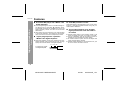
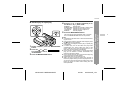
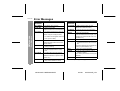
Error Messages
ERROR
MESSAGES
MEANING
BATT EMPTY " The battery has run down.
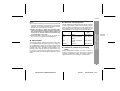
BLANK MD
Can't COPY
ERROR
MESSAGES
Can'tSTAMP
" Nothing is recorded.
(Check the number of tracks.)
Can'tWRITE
" You tried to record from a copy prohibited MiniDisc.
" Cannot save the TOC information
correctly to a MiniDisc.
DEFECT!
" The disc is scratched.
(If the recorded sound is not right, retry
recording or replace the disc with a recordable one.)
References
-Error Messages-
" You tried to record signals other than
music (such as data).
" A track cannot be edited.
(Change the stop position of the track
and then edit it.)
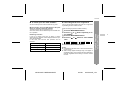
Can't LOCK
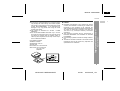
" You tried to remove the MD whilst recording or editing.
Can't PLAY
" You tried to play back a track that
cannot be played with this equipment.
Can't READ
(*)
DISC FULL
" The disc is out of recording space.
Er-MD (**)
" The microprocessor has reported a
system fault and the unit is out of order.
(To have it repaired, go to the distributor
where you purchased the unit.)
HOLD
" The unit is in the hold mode.
LOCKED
" You removed a MiniDisc whilst recording or editing.
" The disc data cannot be read because the disc is damaged.
(Reload the Minidisc or replace it with
another one.)
Can't REC
" Stamp function does not work.
(Replace the disc with a recorded disc.)
(Record using the analogue cable.)
Can't EDIT
MEANING
" Recording cannot be performed correctly due to vibration or shock.
(Turn off the power before removing the
MiniDisc.)
NO DISC
" A disc has not been loaded.
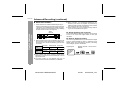
A number or symbol appears in (*) position.
46
IM-DR410E TINSE0550AWZZ
03/7/21
IM-DR410E_6.fm