1
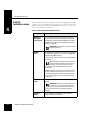
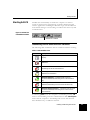
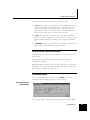
Starting Soft-PK About the Soft-PK program options This section provides a brief description of the Soft-PK main program options. Use Soft-PK’s comprehensive online help for detailed information. Certificate Manager The Certificate Manager allows you to request, import, and store the digital certificates received from certificate authorities (CAs). To communicate securely using digital certificates, users must have two digital certificates: a CA (or self-signed firewall) certificate and a personal certificate. Security Policy Editor The Security Policy Editor allows you to create connection policies and their associated proposals and list them in a hierarchical order that defines an IP data communications security policy. Log Viewer The Log Viewer displays the communications log, a diagnostic tool that lists the IKE negotiations that occur during the authentication phase. Connection Monitor The Connection Monitor displays statistical and diagnostic information for each active connection in the security policy. This utility is designed to display the actual security policy settings configured in the Security Policy Editor and the security association (SA) information established during Phase 1 IKE negotiations and Phase 2 IPSec negotiations. Installing and Working with Soft-PK 4-5