1
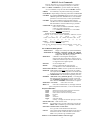
>MAPCI NODISP
use to suppress the MAP level display.
>MSG sends a message to another user (i.e., MSG NTAS ‘Hello’).
>NAG
Node Assessment Graph (NAG) is an hourly snapshot of
equipment status, REX, and overload (see NAG400 log).
>PERMIT
defines a new valid user and assigns parameters.
>UNPERMIT
removes an existing user.
>PRIVCLAS
adds, deletes, or changes, the privilege class(es) for
specified command(s) or program module(s).
>OMPRDUMP Request OMPRSPEC reports from the OMTAPE data.
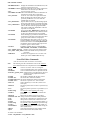
Query Commands:
>QCUST
retrieves information about all the lines associated
with one or more customer group(s).
>QDN dn
displays information about a subscriber line.
>QDNWRK displays a range of working lines using directory #’s.
>QGRP
display various equipment groups using DN or LEN.
>QHASU
display hardware assigned and software unassigned.
>QHLR
displays DN in HLR for mobility numbers.
>QLEN len displays information about a subscriber line.
>QLEN dn displays complete information about a subscriber line.
>QLENWRK used to query a range of working lines using LENs.
>QMADN
display Multiple Appearance Dir. Number (MADN).
>QPDN
list ported in and out DNs and ported DNs of a single
NPANXX
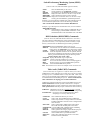
Note: The following QUERYCM and QUERYMS commands are dependent upon table PECINVs datafill being current.
>QUERYCM hidden command off the CM MAP level used to query
information on CM hardware. Use HELP QURYCM.
>QUERYMS hidden command off the MS MAP level used to query
information on MS hardware. Use HELP QUERYMS.
>QUSER
displays a list of user names and associated devices.
>QUSER COMPLETE includes names, devices, and processes
the user is running in. (see QUERY PROCID).
>QUERY PROCID <procid> displays what process has been
started by the user (use the PROCID field data
from the QUSER COMPLETE command).
>RECORD QUERY displays all recording links.
>TRKQUERY TM <TMTYPE> <TMNO> displays TM ckt. info.
>TRKQUERY PM <PMTYPE> <PMNO> <CKT> disp’s ckt info.
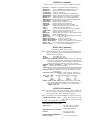
>QUIT
used to change current display to the previous directory.
>RCCMAP gives information on the channel usage of an RCC - LTC.
>RECORD START
sends output from your dev. to dev. ispecified:
>RECORD START ONTO <device name>
sends output to
device specified.
>RECORD START FROM <device name> ONTO <device name>
sends output from and to devices specified.
>RECORD STOP
stops recording:
>RECORD STOP ONTO <device name>
>RECORD STOP FROM <device name> ONTO <device name>
>RENAMECLLI <old_clli> <new_clli> chg. clli names in CLLI table.
>REPEAT used to repeat CI expression specified number of times.
(Ex:, >REPEAT 3 (NEXT) to repeat next command 3 times).
>SEND
redirects the user's terminal response to an alternate device:
>SEND <device> <filename>
terminal response sent to file.
>SEND <device name>
terminal response sent to dev. specified.
>SEND PREVIOUS resets terminal response to original terminal.
>SHERLOCK
request data for service failure analysis.
>SHOW USERS displays valid users list (use PRINT USERS for copy).
>SHOWUSES <table> displays dependency table(s) for specified table.
>SHOWUSERS <table>
displays tables that use the specified table.
>SSR
15 min. switch status report—try DISPLAY SSR600
VERBOSE command. See tables SSRFORM & SSRDEF.
9