1
Initiating Activities
Refer to Chapter 3, “Using the TOUCH TRACKER,” for a detailed description
of what an Activity is. This section describes how to initiate an Activity via
the User’s Menu; it does not describe what an Activity is or what it does
once it is initiated.
Remember, you can initiate an Activity directly from the TOUCH TRACKER
keypad by pressing the Activity number and then pressing Actvty. If you
cannot recall the Activity number, follow this procedure to initiate an
Activity.
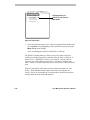
1. Press Actvty on the keypad to display the list of Activities.
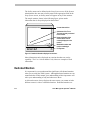
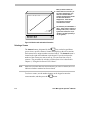
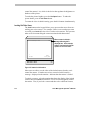
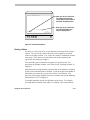
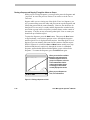
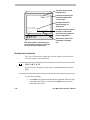
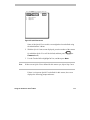
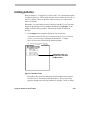
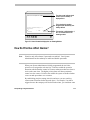
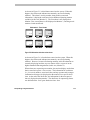
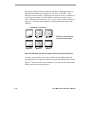
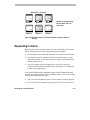
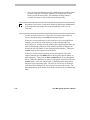
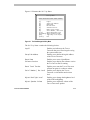
A list of the Activities that can be initiated from the TOUCH TRACKER
you are currently using is displayed on the monitor. A sample
Activities screen is shown in the following figure.
Exit Cam View Patrn Seq Zone Activity
Activities
Next Pg Previous Pg
1
Warehouse "Tour"
2
Unlock Door
3
Tire Shredders Up
4
Close All Gates
5
Back Dr. Delivery
6
Pkng. Garag Light
Highlight the Activity you
want to initiate, then press
the Menu button.
Figure 4-11: Activities screen.
Remember, this screen lists only those Activities that can be initiated
from the TOUCH TRACKERS in this Workstation. That is why it may
appear as though some Activity numbers are missing. These are either
Using the On-Screen User’s Menu
4-23