1
OVEN
HOW
COOKING
TO SET
DELAY
START
The oven will turn on at the time of day you set.
Make sure the clock on tile display shows the correct time of day. To set correct time, see page 13.
Foods that spoil easily such as dairy products, pork, poultry o1 seafood are not recommended for delay start cooking.
BAKE
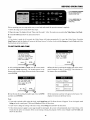
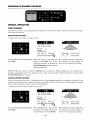
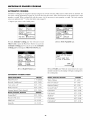
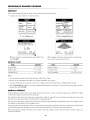
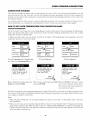
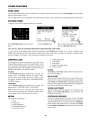
• Suppose you want the oven to begin cooking at 4:30 PM.
_1
Convection
I Bake
_Set temperaturemanually
,,f
or selectQuick oe.
_TouchSTART or select
from the optionsbelow
TimedCoo
• k ili
.........................................................
II
r2T
.....................................................
Convection
SelfClean IBroil
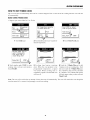
1 Touch Bake pad.
_Usethenumberkeysto
set thetimeof day for
theovento begincooking
_ThentouchSTARTor
selectTimedCook
Moderate
II:
Hot
2 Touch number pads or pre-set pads for
desired temperature.
i:
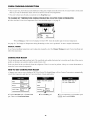
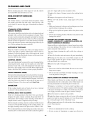
3 Touch Delay Start pad.
OVEN 4:3OPM ON
Temp350°
Bake
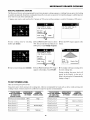
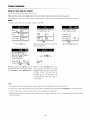
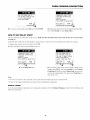
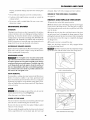
4 Touch number pads [_[_[_ to set the
time of day for the oven to begin cooking.
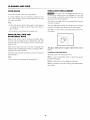
Touch START or select Timed Cook.
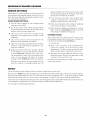
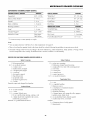
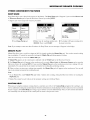
5 If you touch the START pad, the oven
will come on at 4:30 PM. If you select
Timed Cook (following the directions
on page 31) the oven will come on
automatically at 4:30 PM, then turn
off automatically at the end of the set
cooking time.
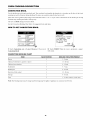
Note:
• The oven will cook for the set amount of time, then turn off automatically if you set Timed Cook.
• If you do not select Timed Cook, the oven will not turn off automatically. You must touch Stop/Clear
to turn off the oven.
• If your recipe requires preheating, you may need to add additional cooking time.
• Baked items that require a preheated oven, such as cakes, cookies and breads, are not recommended
delay start feature.
32
to be cooked with the