1
•
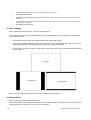
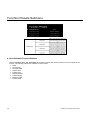
For incoming formats smaller than the native resolution of the LCD panel (800 x 480), the image will be
displayed in the center of the screen using only the necessary LCD pixels. For example, NTSC images will
occupy exactly 720 x 480 pixels. The surrounding pixels will be black.
•
For incoming formats exceeding 800 x 480 pixels, only the center 800 x 480 of the incoming image will
displayed occupying the whole screen, with the remainder of the picture cropped. For example, 1080i
formats will both be cropped to 800 x 480 and displayed full-screen.
Note: Pixel-to-Pixel mode disables aspect ratio control and H/V Delay.
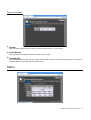
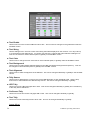
Marker Configuration Submenu
Marker Configuration Submenu
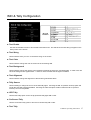
■ Markers
Use this setting to enable or disable all on-screen markers. This setting affects the center marker, full screen
markers, 16:9 markers and 4:3 markers.
■ Center Marker
Use this setting to display a center marker on the screen.
■ 16:9 Markers
Use these settings to superimpose one of 12 markers on the screen when in 16:9 mode.
•
•
•
•
•
•
•
•
•
•
•
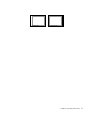
4:3
13:9
14:9
1.85:1
2.35:1
95% Safe
93% Safe
90%Safe
88% Safe
85% Safe
80% Safe
V-MD702 Operating Instructions
11