1
DVR User’s Manual
3.1.2
Function Keys
This section describes the functional keys, which are for normal operation, on
the front panel of the DVR.
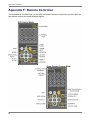
Please refer to the Setup Guide for the graphical illustration of functional
keys.
CHANNEL
• In both Live and Playback modes, press the CHANNEL key to view the
corresponding video in full screen. The number of the CHANNEL keys
corresponds to the number of cameras supported by the unit.
• In Dome Control mode, the key “1” is used to access the Set/Go preset
menu; the key “2” is used to hide or display the dome camera setting
parameters.
• In OSD virtual keyboard, press keys 1~9 to input number 1~9, and press
key 10 to input number 0.
Direction Keys
• In Zoom mode, these keys function as Direction keys.
• In the OSD setup menu, the LEFT/ RIGHT keys are used to move the
cursor to previous or next fields. To change the value in the selected field,
press UP/ DOWN.
ENTER / ZOOM
• In OSD setup menu or selection interface, press this key to make the
selection or save settings.
• In live full screen view mode, press this key to view a 2× zoom image;
press it again to exit Zoom mode.
ESC
• Press to cancel or exit from certain mode or OSD setup menu without
changing the settings made previously.
• If the password protection has been enabled, press ESC for five seconds
to lock up the function of certain keys, including PLAY, MENU, SEARCH,
and DOME. Once users lock up the function of these keys, enter proper
username and password to gain access of the functions of these keys.
NOTE: Please go to the <System Setup> Æ <User Management>
menu to enable or disable the password protection.
12