1
DVR User’s Manual
5.2
Getting Start of Installation
Refer to the following description to install the remote monitoring software.
5.2.1
Changing Internet Settings
The PC operating with the remote monitoring software should be set to
accept ActiveX plug-ins. Please follow the steps to set the Internet security
settings appropriately.
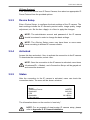
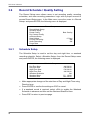
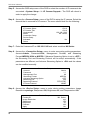
• Before operating the remote monitoring software, please check the IP
address of the DVR. To check the IP address, press MENU key on the unit
and enter password to access OSD setup menu. Select <System Setup>,
<Network Setup>, then <LAN Setup> to check the IP.
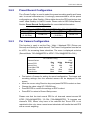
• Start the IE; it can be started either by clicking on the desktop icon, or by
using the Start menu to access it.
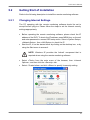
NOTE: Windows IE provides the ActiveX component that is
required when using the remote monitoring software.
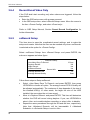
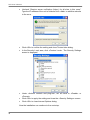
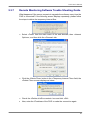
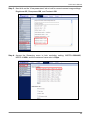
• Select <Tools> from the main menu of the browser, then <Internet
Options>, and then click the <Security> tab.
• Select <Trusted sites> and click <Sites> to specify its security setting.
41