1
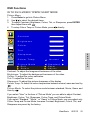
Sound Menu
MTS function only works when the input source is TV.
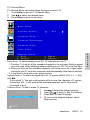
1. Press Enter to get into Sound Menu.
2. Use
to select the desired items.
3. To adjust Bass, Treble, or Balance, press ENTER then adjust them with
4. To setup AVC or MTS, press
directly.
Sound
Bass
Treble
Balance
E
N
G
L
I
S
H
AVC
ON
MTS
Stereo
Exit
Select
Enter
Adjust
Balance: To adjust the bass.
Bass: To adjust the treble.
Treble: To adjust the left and right audio balance.
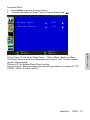
AVC: To turn the AVC on/off. It is an auto volume control, in order to avert the
volume suddenly becoming over loudly.
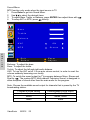
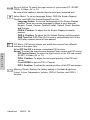
MTS: To switch the sound output for TV programs between Mono, Stereo and
Dual by
. The system-MTS, Multi-channel Television Sound, is designed to
allow reception of sound other than the main audio for the program.
Note: Choose the available sound output for channels that is preset by the TV
broadcasting station.
Program’s sound setting
dual
stereo
mono
ViewSonic
N2010
20
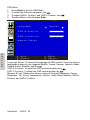
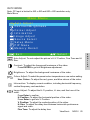
Exchangeable sound output
dual I, dual II
stereo, mono
mono
.