1
additional instructions on how to connect the box to view broadcasts from both analog and
digital stations.
NOTE: An analog pass-through box only receives a digital signal and then lets the analog signal
still go to the TV. However, you will need to use the TV remote to get these channels. (without a
pass-through box, you will have to turn off the converter box to get the analog signal through the
TV or you can install a signal splitter) Back to index
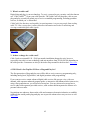
7. What if I want to connect my VCR to my digital-to-analog converter box?
Analog TVs and VCRs can receive digital television (DTV) broadcast signals by using a
“Digital-to-Analog Converter Box” that can be purchased at retail stores. If you use a single
converter box and Set-Up #1, you can watch and record one channel at a time. If you use two
converter boxes and Set-up #2, you can watch one channel while recording a different channel.
Set-up #1: Watch and Record One Channel at a Time
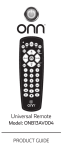
Your new Converter box will come with a second coaxial wire and a remote control. Before you
begin, you should unplug the power from your TV, VCR, and if you are using an indoor
amplified antenna, your antenna.
Step 1. Unplug the existing coaxial antenna wire from your VCR “Antenna In (RF)” port.
Step 2. Plug the existing coaxial wire into the “Antenna In (RF)” port on your Converter Box.
Step 3. Using the coaxial wire that comes with your Converter Box, plug one end into the “Out
To TV y(RF)” port on the Converter Box. Plug the other end into the “Antenna In (RF)” port on
your VCR.
Leave your connection from the VCR to the TV as is (either an A/V cable or Coaxial Wire).
Step 4. Plug the power cords on your Converter Box, VCR, TV, and antenna (if it is an indoor
amplified antenna) into a power outlet, and turn the devices on. Tune your VCR to channel 3 or 4
(follow the instructions in the converter box manual), and set your TV to display video from
your VCR. Using the remote that comes with your Converter Box, follow the on-screen set-up
guide to scan for available DTV channels, and begin enjoying the benefits of Digital Television!
You will be able to record programming on the channel you are tuned to on your converter box.
Set-up #2: Watch One Channel while Recording a Different Channel
You will need your analog TV, the antenna you have been using (indoor or outdoor), the coaxial
wire that currently connects your antenna to your TV (as pictured on the far right), four
additional lengths of coaxial wire, a set of A/V cables (as pictured on the right), a 2-way splitter,
and two converter boxes. Your new Converter boxes will each come with a coaxial wire, a set of
A/V cables (three wires with red, white and yellow plugs), and a remote control. Before you
begin you should unplug the power from your TV, VCR, and if you are using an indoor
amplified antenna, your antenna.
Step 1. Unplug the existing coaxial antenna wire from your VCR “Antenna In (RF)” port.
54