1
3 Setting up your STATIM
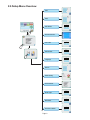
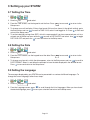
3.7 Setting the Time
1.
2. Scroll to
Time
and select.
3. From the TIME screen, use the keypad to set the time. Press
Setup menu.
EN
to save and
to return to the
4. To change your unit to display 12-hour time format (24-hour time format is the default setting), go to
the Setup menu and use
to scroll to TIME 12/24, select it and toggle to 12. Press
to save and
return to the Setup menu.
5. To activate daylight savings time (DST), which is recommended if you have connected your unit to a
network, go to the Set up menu and use
to scroll to DST ON/OFF and select. Use
to toggle
DST ON or OFF and press the
to save and return to the Setup menu.
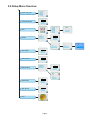
3.8 Setting the Date
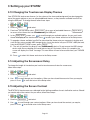
1.
2. Scroll to
Date
and select.
3. From the DATE screen, use the keypad to set the date. Press
Setup menu.
EN
to save and
to return to the
4. To change your format in which the date appears, return to the Setup menu and use
to scroll to
DATE FORMAT. Select it, and follow the prompts to have the date displayed in the desired format.
Press
to save and return to the Setup menu.
3.9 Setting the Language
The messages displayed by your STATIM can be presented in a number of different languages. To
change the current language, follow these steps:
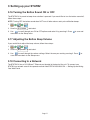
1.
2. Scroll to
Language
and select.
3. From the Language screen, press
to scroll through the list of languages. When you have found
the desired language, press
to save your selection and return to the Setup menu.
Page 14