1
9 Troubleshooting your STATIM
Problem
Solution
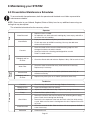
Time and date are incorrect.
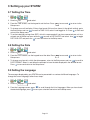
The time and date have not been set. See Section Setting up your STATIM,
for time and date instructions.
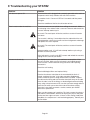
Touchscreen is blank/white.
Power was interrupted during a firmware upgrade. Power off the unit
and power it on again. It can take up to 6 minutes before the main
menu screen appears.
Touchscreen is blank/ dark.
Check power source.
USB storage device does not contain
the last print out.
Re-insert the USB storage device and wait for the data to copy over
again.
If problem persists, back up all the information you have on the USB
device and reformat it.
NOTE: You can always access all your unit’s cycle information
through the unit’s web portal.
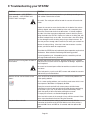
Touchscreen shows:
An X over the connectivity icon means the unit is not connected to a
network. If it is supposed to be connected to a network and the X is
visible, it is because the unit is unable to acquire an IP address. To
resolve the issue, try some of the following:
•
Check that the router is functioning properly
•
Check the LAN cable (try a new cable if possible)
•
Make sure your router assigns IP addresses automatically.
Renew the IP address by following these steps:
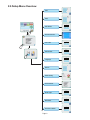
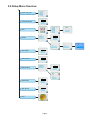
1. Scroll through the setup menu to NETWORK SETUP and
select.
2. Select RENEW IP.
Unit is not sending emails.
Check email settings by using the TEST button on the unit’s web
portal. From the SETUP web page, select the TOOLS tab. Click
on TEST to check your router, unit, and Internet connections. If all
settings appear to be OK. Go to the unit’s touchscreen and renew the
IP address by following these steps:
1. Scroll through the setup menu to NETWORK SETUP and
select.
2. Select RENEW IP.
Not receiving emails from the unit
Check your spam filter. Be certain the unit has been identified as an
accepted email source.
Page 44