1
STEP 2
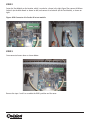
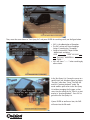
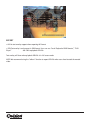
Fasten the Text Module on the location, which is marked as a frame in the right figure. Then connect USB from
Socket A (on the Main Board as shown on left) and connect it to Socket B (on the Text Module), as shown on
right.
Figure: USB Connector A in Socket B in text module
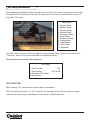
STEP 3
Once connected secure down as shown below.
Reverse the steps 1 and 2 to assemble the DVR’s partition and the cover.