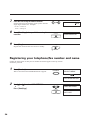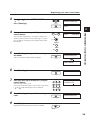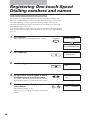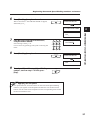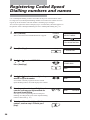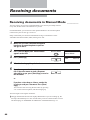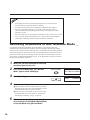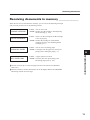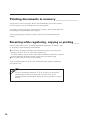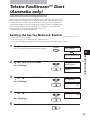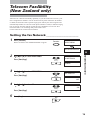
1
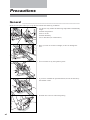
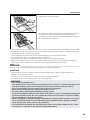
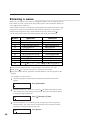
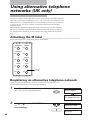
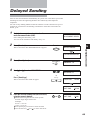
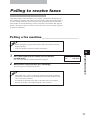
Using alternative telephone networks (UK only)
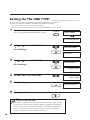
3
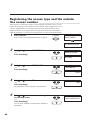
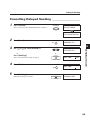
Use [
] or [ ] to select M-KEY SETTING.
M-KEY SETTING
▼
Press [Start/Copy].
Start/Copy
OFF
2
Use [
] or [ ] to select ON.
ON
▼
Press [Start/Copy] twice.
Start/Copy
ACCESS CODE
Start/Copy
TEL=
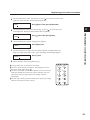
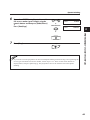
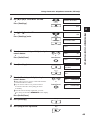
5
Enter the access code (up to 19 digits) using the
numeric buttons.
0
▼
Press [Redial/Pause].
6
9
TEL =
131
TEL =
131P
▼
Redial/Pause
Press [Start/Copy] twice.
Start/Copy
PREPARING TO USE YOUR FAX
4
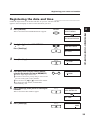
ID CODE
Start/Copy
TEL=
7
Enter the ID code (up to 19 digits) using the
numeric buttons.
❚ This code is given to you by Cable and Wireless
Communications Limited.
❚ If your access code is 132, you do not have
to enter the ID code. Press [Stop] to return
to standby.
❚ If an ID code is already registered, you will
see a string of asterisks ✱✱✱✱✱✱✱ on the display.
0
9
TEL =
1234567890
TEL =
1234567890P
▼
Redial/Pause
▼
Press [Redial/Pause].
8
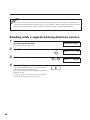
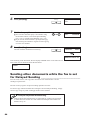
Press [Start/Copy].
9
Press [Stop] to finish registration.
Start/Copy
Stop
43