1
Innehåll
sida
1
Introduction
1.1
About this User Guide
1.1.1 Typographic conventions
1.2
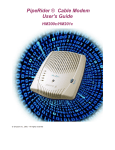
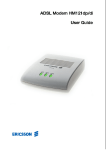
About the HM220d ADSL modem
1.3
Package contents
1.4
Placement of the modem
1.4.1 Wall mounting instructions
1.5
Filter installation
2
Installation using Ethernet (for Windows 95 or higher PCs)
2.1
System requirements
2.2
Connecting equipment
2.3
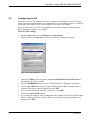
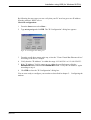
Configuring the PC
10
10
11
12
3
Installation using USB (for Windows 98 PCs)
3.1
System requirements
3.2
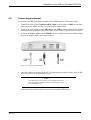
Connecting equipment
3.3
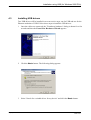
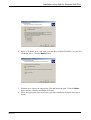
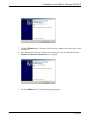
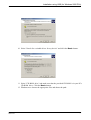
Installing USB drivers
3.4
Configuring the PC
14
14
15
16
22
4
Installation using USB (for Windows 2000 PCs)
4.1
System requirements
4.2
Connecting equipment
4.3
Installing USB drivers
4.4
Configuring the PC
24
24
25
26
32
5
Configuring the modem
5.1
Accessing the modem's web pages
5.2
Auto configuration
5.3
Manual configuration
5.3.1 Routed/PPPoA mode
5.3.2 Routed/RFC1483 mode
5.3.3 Bridged/RFC1483 mode
5.4
Change configuration
5.5
Advanced settings
34
34
38
42
44
50
55
58
60
4 (87)
7
7
7
7
8
8
9
9
EN/LZT1083982 R4
2000-12-07