1
6. The Firmware Upgrade Utility
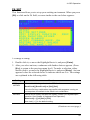
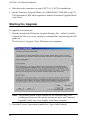
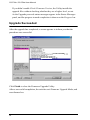
3. Click Next to continue. The Firmware Upgrade Utility main screen
appears:
CS1732B/1734B [MAIN]..
The Utility inspects your installation. All the devices capable of being
upgraded by the package are listed in the Device List panel.
4. After you have made your device selection(s), Click Next to perform the
upgrade.
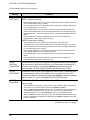
The
firmware
[Ver
1.0.]
is
not
newer
than
the
current
firmware
[Ver 1.0.090] in device CS1732B/CS1734B [MAIN]: 000
Continue
the
upgrade?
[Yes/No]
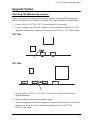
If you enabled Check Firmware Version, the Utility compares the device’s
firmware level with that of the upgrade files. If it finds that the device’s
version is higher than the upgrade version, it brings up a dialog box
informing you of the situation and gives you the option to Continue or
Cancel.
33