1
TROUBLESHOOTING
•
AIRDYNE, AIRDYNE PRO, AIRDYNE COMP, EVOLUTION,
EVOLUTION PRO & EVOLUTION COMP
ELECTRONIC
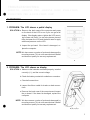
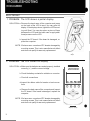
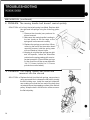
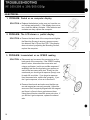
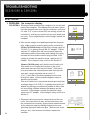
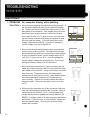
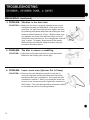
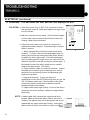
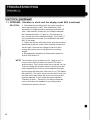
1. PROBLEM: The LCD shows a partial display
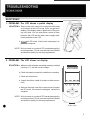
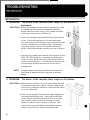
SOLUTION: a. Remove the back case of the computer and press
on the back of the LCD to see if you can get a full
display. If the display returns , tighten the LCD mounting screws until fixed. You can also place a piece of
foam between the LCD and the back case to apply
additional pressure on the LCD .
II
I
b. Inspect the pc board. if the board is damaged , replace the computer.
NOTE: We have seen a number of pc boards damaged by
mounting screws. This is not a manufacturer's defect
and does not qualify for warranty replacement.
a
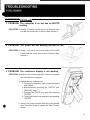
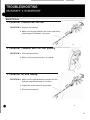
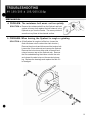
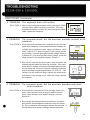
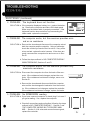
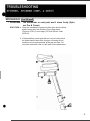
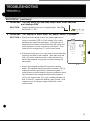
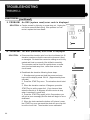
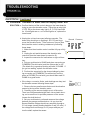
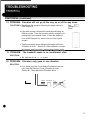
2. PROBLEM: The LCD shows no display
SOLUTION: a. Make sure the batteries are seated properly, installed
correctly (+/-) , and the correct voltage.
b. Check the battery contacts for oxidation or corrosion .
c. Check all connections.
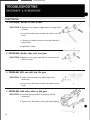
d. Inspect the ribbon cable for breaks or bad connections.
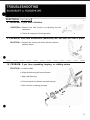
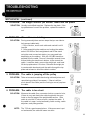
e. Remove the back case of the computer and inspect
the pc board . If the board is damaged , replace the
computer.
•
NOTE: We have seen a number of pc boards damaged by
mounting screws. This is not a manufacturer's defect
and does not qualify for warranty replacement.
a,b,c,d,e
5