1
The BTTV HOWTO
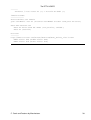
Now try to record something:
$ streamer −p 4 −t 1:00 −r 24 −q −o test.avi −j 90 −f mjpeg −F mono16
...and you should be recording a sound−enabled avi file. Press [Ctrl]−C to cancel early. Next step is to
automate the recording for your very own home−brewed Tivo"!
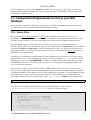
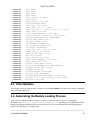
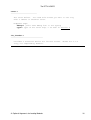
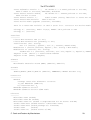
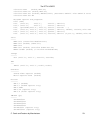
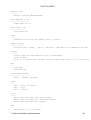
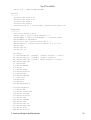
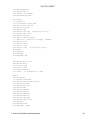
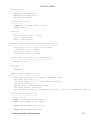
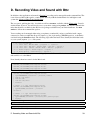
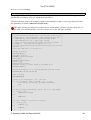
I offer the following script as an example program for automating recording; you can copy and paste it into a
file and make it executable (chmod u+x record−tv.sh).
This script (and any recording from your Bttv device for that matter) generates extremely large files, on
the order of several GB per hour, so be sure you have lots of free disk space available.
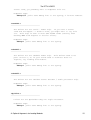
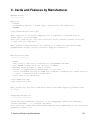
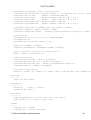
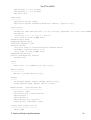
#!/bin/bash
# ================= record−tv.sh ============================
# = copyright 2003 by Greg Watson gwatsonATlinuxlogin.com
=
# = GPL2 License, minor modifications by Howard Shane
=
# = hshaneATaustin.rr.com , under same license
=
# = usage record−tv.sh prefix−filename record−time channel
=
# = Example: ./record−tv.sh enterprise 61:00 20
=
# ============================================================
# Version 0.9
# Last Mod: Wed Feb 20 11:27 CST 2005
# Output directory
OUTPUT=$HOME/vcr
# Streamer location
STREAMER=/usr/bin/streamer
# Alsa Mixer
AMIXER=/usr/bin/amixer
# v4lctl path
V4LCTL=/usr/bin/v4lctl
# Capture Volume to ensure sound is recorded (80%)
CAPTURE_VOLUME=100
# Tvtime settings file for color/brightness/contrast values
TVTIME=$HOME/.tvtime/tvtime.xml
# End of Config
###############
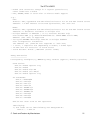
# check if I'm running TV, if so just exit
if [ `ps −C tvtime | grep −c tvtime` −gt 0 ]; then
echo "TVtime is running, aborting recording."
exit
fi
# If the filename prefix wasn't given, set it to 'recording'
if [ −z $1 ]; then
PREFIX="recording"
else
PREFIX=$1
fi
# if time is blank, record for 30 minutes
if [ −z $2 ]; then
TIME="30:00"
else
TIME=$2
fi
D. Recording Video and Sound with Bttv
40