1
5 Setup
The setup offers advanced settings that can be done before or after an event like factory reset, forming groups of lamps, calibrating colors and setting a keylock when giving away the
ARC2.
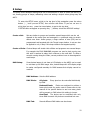
To enter the SETUP menu, while in the top level of the navigation press the minus
button ( - ) until you see SETUP, then confirm with Enter. If you are not sure in
which level you are, press the home button, to get to the top level.
If SETUP does not appear on pressing the ( - ) button, check the KEYLOCK setting!
Create a Set:
Sets are similar to groups and combine several lamps which can be ad
dressed at the same time and arranged in a preferred order to stretch
effects over them. Unlike groups, a huge number of sets (256) can be
programmed and targeted with the Target Lamps button. A set can also
be applied to only 1 lamp if this lamp needs to be targeted quickly.
Create a Chain: Chained lamps will stretch their effects and programs over several lamps.
For example the FLAG RUNNING program can send a pixel running one
AL6 until it reaches its edge, then continue on the next AL6. To allow a
smooth running along the chain, correct positions have to be assigned to
each lamps.
DMX Setup:
Some Astera lamps do not have a LCD-display so the ARC2 can be used
to set them up for DMX usage. Also, Astera lamps with LCD-display might
be easier configured remotely for DMX because their display cannot be
reached.
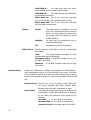
DMX Address: Sets the DMX address
DMX Pixels:
All pixels:
Every pixel can be controlled individually
by DMX
Reduced Pixels:
Pixels are combined to achieve a
fewer pixel count for easier control. Please refer to the
manual of the specific device to see how many pixels
will be present on DMX when this setting is chosen.
One Pixel: The device can be controlled with only
three DMX channels. All pixels are combined into one.
DMX Tab:
Several different DMX tables can be chosen.
11