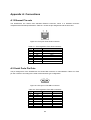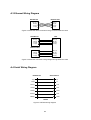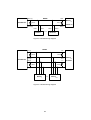
1
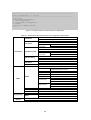
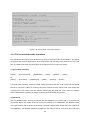
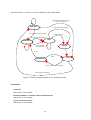
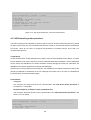
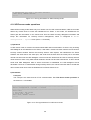
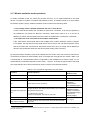
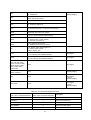
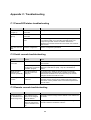
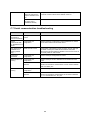
The HelloDevice Pro Series is configured to reject IP address of the PC Change the remote host access control parameter using serial or remote console to allow the IP address of the PC TCP connection with the other host is established already Close established TCP connection or connect later C.7 Serial communication troubleshooting Problem Cause Action Serial data are not Too large inter-character transferred by timeout TCP/IP immediately Set inter-character timeout with smaller value Cannot Invalid serial port communicate with configuration the HelloDevice Pro Series Check if serial port configuration of the HelloDevice Pro Series are the same with that of the serial device Only serial port#2 of PS400 is not working (PS400 only) Serial console is used Serial port#2 of the PS400 is used commonly for both data port and serial console port. While serial console is used, data transfer through serial port#2 is disabled. Close serial console to use serial port#2 for data transfer. Invalid data transferred Invalid serial port configuration Check if serial port configuration is correct. RS485 mode is not working Invalid serial port configuration Check if serial port is set to RS485 Echo or RS485 Non-echo mode. Terminator resistor is not attached The HelloDevice Pro Series has no terminator resistor inside for RS485 communication. Please attach a 120 resistor between Data+ and Data- pins. Invalid serial port configuration Check if serial port is set to RS422 mode. Terminator resistor is not attached The HelloDevice Pro Series has no terminator resistor inside for RS422 communication. Please attach 120 resistors between Tx+, Tx- and between Rx+, Rx- pins. RS422 mode is not working 68