1
Installing RASM
Start the RASM Services on a Unix or Linux System
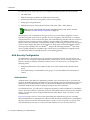
To start RASM Services manually, type a command such as the following:
solaris# rm-services start
Stop the RASM services on a UNIX or Linux System
To stop RASM Services manually, type a command such as the following:
solaris# rm-services stop
Configure RASM Services as a daemon
The following examples assume that RASM Services is installed in the default location.
Configure RASM Services as a daemon on Solaris
To configure RASM Services to start automatically when Solaris starts, type the following command:
solaris# ln -s /opt/RASM/bin/rm-services /etc/rc3.d/S99rm-services
Make rm‐services the last script that runs at run level 3.
To configure RASM Services to stop automatically when Solaris shuts down, type the following command:
solaris# ln -s /opt/RASM/bin/rm-services /etc/rc0.d/K99rm-services
Make rm‐services the last script that runs at run level 0.
Configure RASM Services as a daemon on SUSE 9.1
The recommended way to add services to a SUSE 9.1 installation is with the insserv command. Enter commands such as the following (as root):
suse# cd /etc/init.d
suse# ln -s /opt/RASM/bin/rm-services rm-services
suse# insserv rm-services
Configure RASM Services as a daemon on Red Hat WS 3
The recommended way to add services to a Red Hat WS 3 system is with the chkconfig command. Enter commands such as the following (as root):
redhat# cd /etc/init.d
redhat# ln -s /opt/RASM/bin/rm-services rm-services
redhat# chkconfig --add rm-services
To Start/Stop RASM Services on Macintosh Systems
To start RASM Services manually, open a Terminal window, either by using the shortcut on the dock, or by browsing to the /Applications/Utilities directory and launching Terminal from there.
In the Terminal window, change to the bin directory in the RASM installation directory. By default, this is /Applications/RASM/bin. For example:
# cd /Applications/RASM/bin
To start RASM Services, enter the following command:
# sudo ./rm-services start
RoamAbout Switch Manager User’s Guide
1-9