1
Issue 5.00
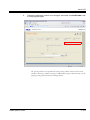
name.
.
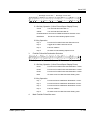
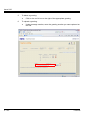
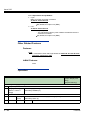
See Answer Schedule Override on page 2-41 for more.
Options
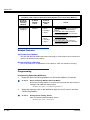
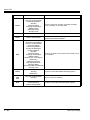
0 (Undefined)
1 (Station Mailbox)
2 (Group Mailbox)
3 (Routing Mailbox)
Default
0 (Undefined)
.
47-11-02
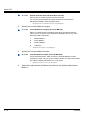
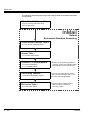
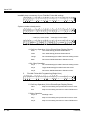
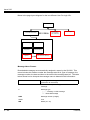
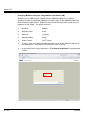
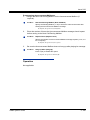
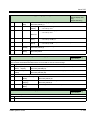
If any of the Input Data values are entered, the terminal displays the Override Mailbox
Number selection (below).
Override Mailbox Number (Override MB Num)
Use this option to specify the mailbox to which Automated Attendant calls
should route when you when you enable Answer Schedule Override. The
mailbox number you select in this option should match the mailbox category
specified in 47-11-02 Override Mailbox Category above.
Options
Digits (3 maximum, using 0-9).
Default
No entry.
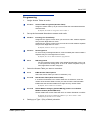
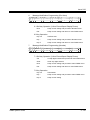
47-11-03
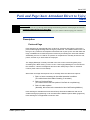
Default Mailbox Category (Default MB Ctg)
Use this option to specify the category of mailbox used as the Default
Mailbox. InMail mailbox categories are Subscriber Mailbox, Group Mailbox,
and Routing Mailbox. InMail uses the Default Mailbox whenever an Answer
Schedule is not in effect.
InMail handles the routing according to the type of mailbox (Subscriber, Call
Routing, or Announcement) within the specified category:
If the Default Mailbox is a Subscriber Mailbox, the outside caller hears the
mailbox greeting (if recorded) and can leave a message.
If the Default Mailbox is an Announcement Mailbox, the outside caller hears
the recorded announcement. Depending on how the Announcement
Mailbox is programmed, InMail then hangs up, reroutes the call, or provides
additional dialing options.
If the Default Mailbox is a Call Routing Mailbox, the outside caller hears the
instruction menu and can dial any option allowed by the associated Dial
Action Table.
If the Default Mailbox is a Directory Dialing Mailbox, the outside caller can
reach an extension by dialing the first few letters in the extension user’s
name
.
See Answer Tables on page 2-45.
Options
0 (Undefined)
1 (Station Mailbox)
3 - 426
Programming