1
Issue 5.00
Screened Transfer
Description
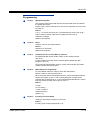
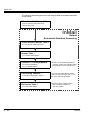
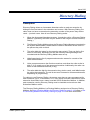
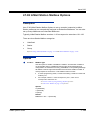
Screened Transfer is an Automated Attendant option that allows callers to directly dial
system extensions. Screened Transfer (and its related feature Unscreened Transfer)
allows the InMail Automated Attendant to transfer outside calls to system extensions
without the need for a live receptionist or operator. It is similar to telephone system
screened transfers in which the transferring party controls the transfer. After an
Automated Attendant caller dials an extension, InMail calls (screens) the destination
extension to see if the transfer can go through.
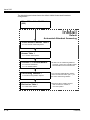
If the destination is busy or in DND, the Automated Attendant doesn’t extend the
call and immediately provides the caller with additional options.
If the destination is available, the Automated Attendant rings it. If the destination
answers, the call goes through. If the destination doesn’t answer within a preset
interval, the Automated Attendant does not extend the call and provides the
caller with additional options.
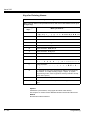
Screened vs. Unscreened Transfer
Both Screened and Unscreened Transfer allow Automated Attendant callers to
directly dial system extensions. The following summarizes the differences between
these two types of Automated Attendant transfer.
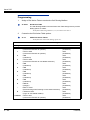
With Unscreened Transfer, calls from the Automated Attendant ring like other
transferred calls and display the incoming Caller ID data (if provided by telco
and enabled in programming). Screened Transfers ring like Intercom calls and
do not display Caller ID until the call is answered.
Both Screened and Unscreened Transfers route unanswered calls to the
subscriber’s greeting (recorded or default) so the caller can leave a message.
However, only Screened Transfer allows the caller to dial 2 to reach the Next
Call Routing Mailbox options (if programmed).
Screened Transfer and Inactive Mailboxes
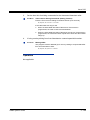
Screened Transfer to an extension can occur only if the destination extension has an
active mailbox. If the extension’s mailbox is inactive, the Automated Attendant caller
hears: “That is an invalid entry,” and returns to the Automated Attendant.
InMail System Guide
2 - 323