1
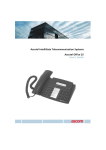
Operating and Display Elements
1
Display
9
• Top: Information, Foxkey functions
• Bottom: Symbols
2
• 1x short: Loudspeaker on/off
• 2x short: Volume normal/loud
Foxkey
10 Redial key
Multifunction key:
• Short: Activates corresponding
function
• Long: Reverses scroll direction
3
Info key
4
Menu key
• Short: Last phone number dialled
• Long: List of answered calls
11 Loudspeaker
12 Hook switch
13 END/correction key
Calls up further information
Menu access key
• Short: Scrolls through Foxkey
functions
• Long: Configuration mode
5
MENU
Switches between digit input and
character input
ABC
Keypad
Enters digits or letters (in text
mode)
7
8
• In a call: Disconnects, ready for
END
dialling
• Menu/configuration: Back/cancel without
saving
• Enter: Deletes last character
14 Alpha key
Indicator LED
• Flashing: Call
• Lit: Callback, message, report
6
Loudspeaker key/Volume/
cursor key
☛
Write-on label
Configurable keys
Configurable as:
Number key:
• 1x short:Calls up first phone number
• 2x short: Calls up second phone number
• Long: Configures key
Function key:
• 1x short: Activates function
• 2x shortShort: Deactivates function
• Long: Configures key
20321611en_ba_a0
3