1
A&D GR Series Instruction Manual
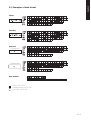
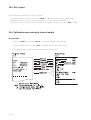
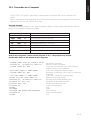
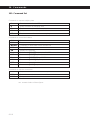
10.5. Calibration report using an external weight
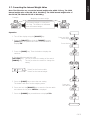
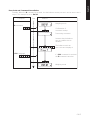
Key Operation
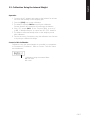
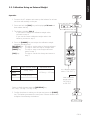
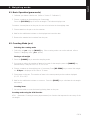
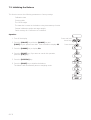
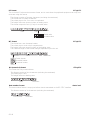
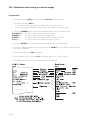
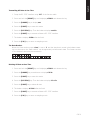
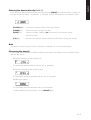
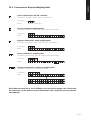
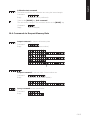
1. Press and hold the [CAL] key until displaying CAL out. Release the key.
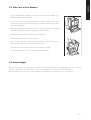
2. The balance displays CAL 0.
• If you want to change the calibration weight value, proceed to step 3.
• If you use the stored calibration weight value in the balance, proceed to step 4.
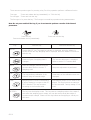
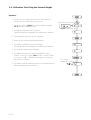
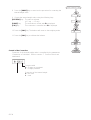
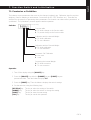
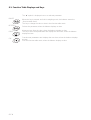
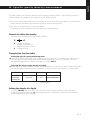
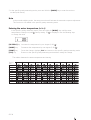
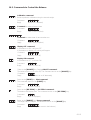
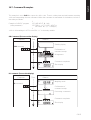
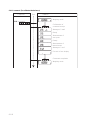
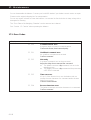
3. Press the [RANGE] key and adjust the calibration weight using the following keys.
[RE-ZERO] key
[RANGE] key
[PRINT] key
[CAL] key
The
The
The
The
key
key
key
key
to
to
to
to
set the value of the digit selected.
select the digit to change value.
store a new weight value and return to step 2.
cancel this change and return to step 2.
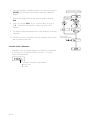
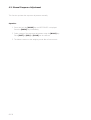
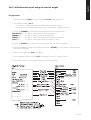
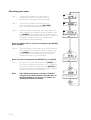
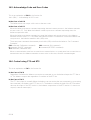
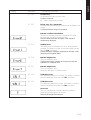
4. Press the [PRINT] key. The zero point is measured and this value is displayed.
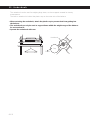
5. Place the calibration weight on the pan and press the [PRINT] key. The weight is measured and
this value is displayed.
6. Remove the weight after End is displayed.
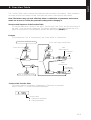
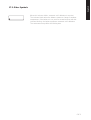
7. If the calibration report is output, GLP is displayed and the GLP data is output.
8. The balance returns to the normal weighing mode automatically.
GB 46