1
How to mount standard optional items (PDK-4005)
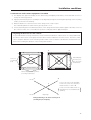
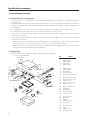
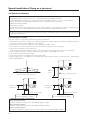
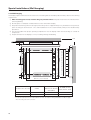
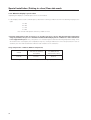
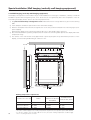
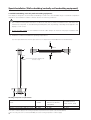
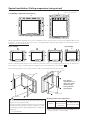
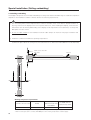
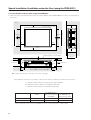
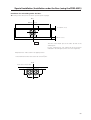
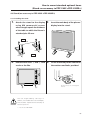
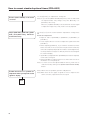
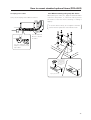
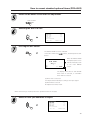
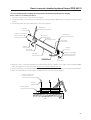
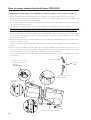
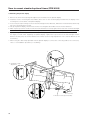
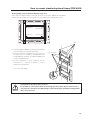
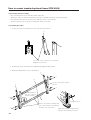
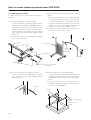
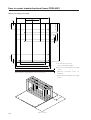
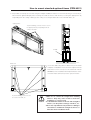
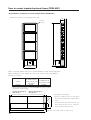
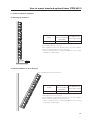
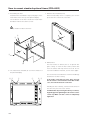
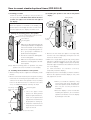
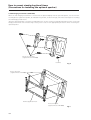
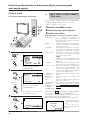
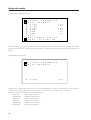
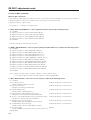
2. Place the fixture on a horizontal table, tighten all bolts, and tighten the four bolts (3).
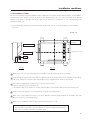
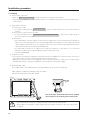
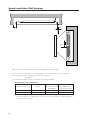
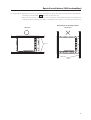
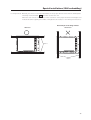
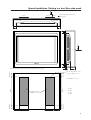
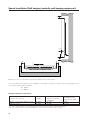
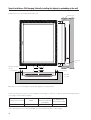
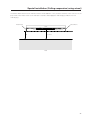
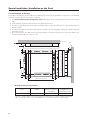
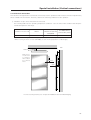
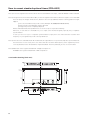
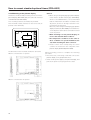
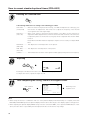
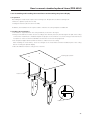
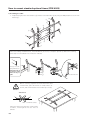
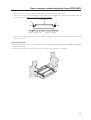
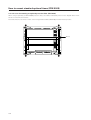
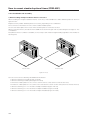
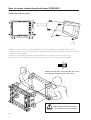
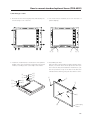
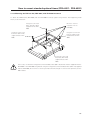
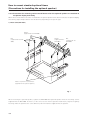
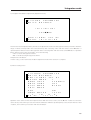
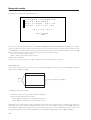
3. With the screen of the plasma display facing downward, place the display on the edge of a flat and stable table, as
shown in the figure. Be sure not to drop or damage the display.
PDP bracket
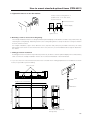
9
9
0
0
Table
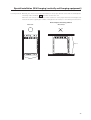
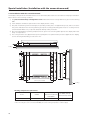
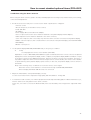
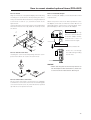
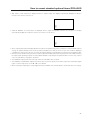
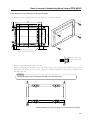
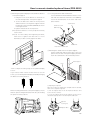
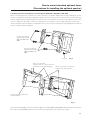
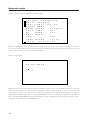
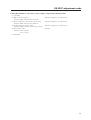
4. Tighten the assembled PDP bracket at four points using M8 hexagonal socket button head bolts (9) and M8
wave washers (0).
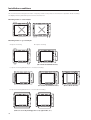
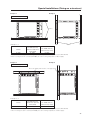
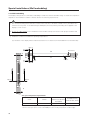
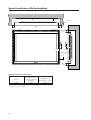
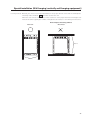
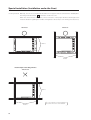
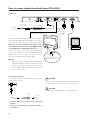
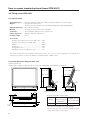
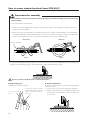
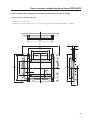
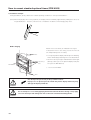
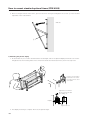
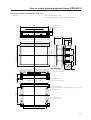
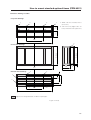
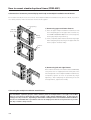
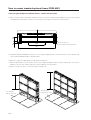
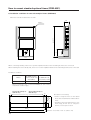
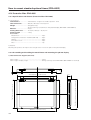
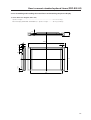
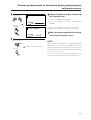
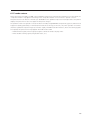
3) Application example
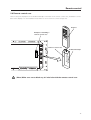
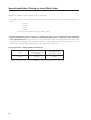
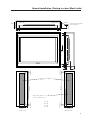
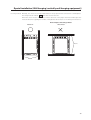
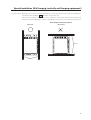
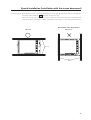
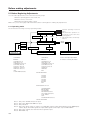
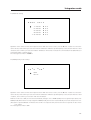
With the PDP bracket mounted, you can install the plasma display (except the PDK-4003, PDK-4006) to a PIONEER
standard metal fixture.
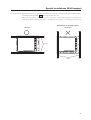
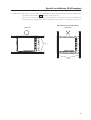
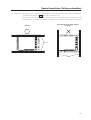
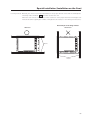
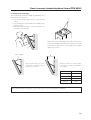
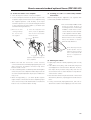
As indicated in the figure, you can use the fixture as a handle during transport or installation.
101