1
• Display
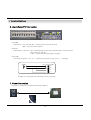
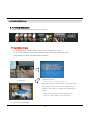
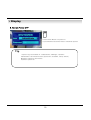
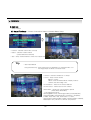
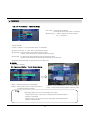
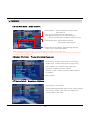
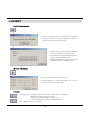
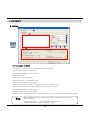
4.3 PRESET Control
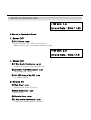
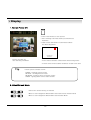
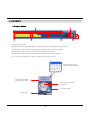
PRESET
NUMBER:1
NUMBER CHANGE:UP/DOWN
SET:F1
GOTO:F2
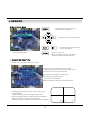
① By Preset Function, Possible to Setup Direction and Focus of PTZ Camera.
② After Selecting Position at PTZ Control Mode, Save Data at Preset Mode.
③ Setup ‘NUMBER’ from 1 to 128 by ‘Faster’ & ‘Slower’ Button.
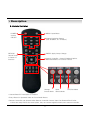
④ Save by Front Panel Key No.1 Button or F1 Button on Remote Controller.
⑤ To Move to Saved Location, Press Front Panel Key Button No.2 or F2 Button on Remote Controller.
⑥ It support at Protocol D/Protocol P/D-MAX only.
※ In protocol D case, It have to keep the memory after memorable setting are deleted.
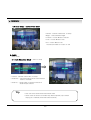
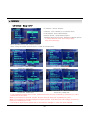
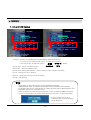
4.4 SWING Control
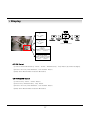
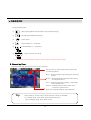
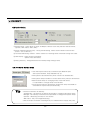
① SWING Function Dedicate Each No. of Saved Preset and Swing as Pan or
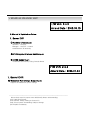
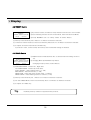
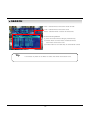
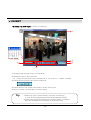
SWING
MODE:PAN SWING
NUMBER CHANGE:UP/DOWN
FIELD CHANGE:LEFT/RIGHT
SET:F1
RUN:F2
Tilt.
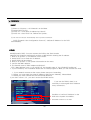
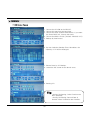
② Changing Mode by Backward Play Button.
Changing Setup by Faster, Slower Button.
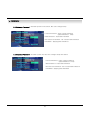
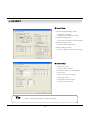
③ PAN SWING MODE : Rotate Left , Right Side.
TILT SWING MODE : Rotate Up, Down Side.
START PRESET : Select Starting Point. (1~128)
END PRESET : Select End Point. (1~128)
SWING TIME : Select Halt Time as Each Point. (1~64sec)
SWING SPEED : Select Moving Speed of Camera. (1~64)
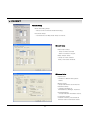
④ Save by Front Panel Key No. 1 Button or F1 Button on Remote Controller.
⑤ For Start SWING Mode, Press Front Panel Key No.2 or F2 Button on Remote Controller.
⑥ It support at D-MAX only.
Tip
• All ability work by camera is supported each protocol.
28