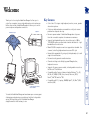
1
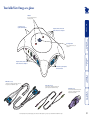
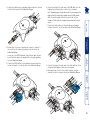
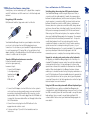
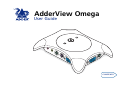
Your AdderView Omega at a glance Connections to your speakers and microphone Indicators Show you which computer is currently selected Keyboard, monitor, mouse and audio connections to computer 2 1 The Omega button Press to change between your computers 2 Keyboard, monitor, mouse and audio connections to computer 1 Audio cable set* (x 2) These link your computer’s microphone and speaker ports to the AdderView Omega * Note: Depending on the purchased package, the cable sets and USB adaptors may, or may not, be included with the AdderView Omega. USB adaptor* (x 2) These allow the AdderView Omega to be connected to computers that use USB keyboard and mouse links KVM cable set* (x 2) These link your computer’s keyboard, video and mouse ports to the AdderView Omega Connections to your keyboard, monitor and mouse 3