1
appendix A
Troubleshooting
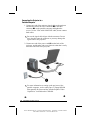
Image does not appear on
the projection screen
1. Make sure the projector is
powered on.
2. Ensure the lens cap has been
removed.
3. Press the Standby button again.
4. Ensure that the power cable is
securely connected.
5. Ensure the pins on the
connectors are not crooked or
broken.
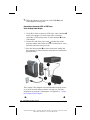
6. Turn off or disable the portable or
desktop computer screen saver
function.
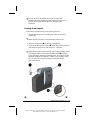
7. Ensure the projection lamp has
been securely installed.
8. Ensure your portable computer’s
external video port is turned on.
Toggle the Fn + F4 function
keys.
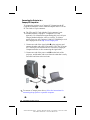
Scrolling, cut-off, or
incorrect image displayed
1. Press the Resync button.
2. Turn everything off; then power
on the projector first and power
on the portable or desktop
computer second.
3. If the above steps do not correct
the display image, adjust the
resolution of the portable or
desktop computer to 1024 × 768.
Continued
Troubleshooting A-1
Writer: M. Silvetti Saved by: Marianne Silvetti Saved date: 11/05/99 4:57 PM
Pages: 4 Words: 643 Template: c:\office 95\templates\ref\ref.dot
Part Number: 383706-001 File name: CAppA.doc