1
LTU/NTU
Operating Manual
SZ-DOC-W5-1.pdf
Version: 1.5
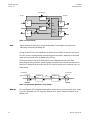
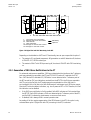
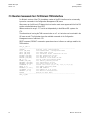
12.4 Download transport via Modem Chain
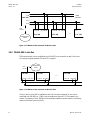
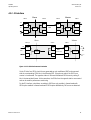
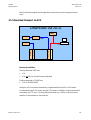
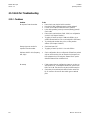
Download over a DSL chain as shown below will be possible when a V.24 Interface connects
NTU #1 and NTU #2.
Download via Modem Chain
V.24
V.24
LTU #1
DSL
NTU #1
NTU #2
DSL
NTU #3
Flash Loader on PC
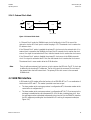
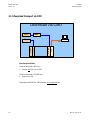
Note: No remote download to LTU!
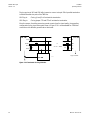
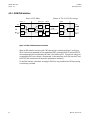
V.24
LTU
DSL
REG
DSL
NTU
Flash Loader on PC
Note:
Firmware can only be downloaded to NTUs within a Modem chain!
12.5 Remote Firmware Download Procedure
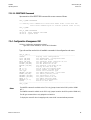
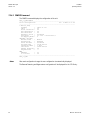
To remotely download a new firmware to the NTU via LTU, proceed as follows.
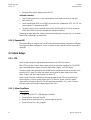
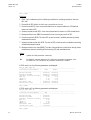
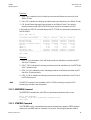
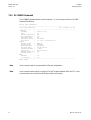
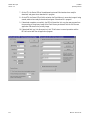
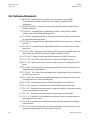
1. Start Flash Loader program (loader.exe) on your PC and change Setting as follows (see also
screen shots on the next page):
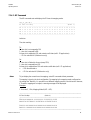
2. ‘Set File Path’ to the application program (.bin file) you want to download to the NTU
3. ‘Set Loader Communication’ to operate with end-to-end flow control
(disable XON/XOFF, enable Flow Control option).
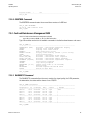
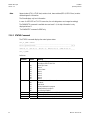
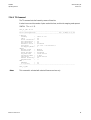
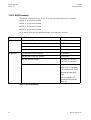
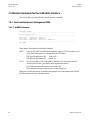
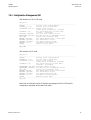
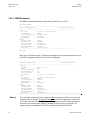
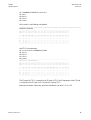
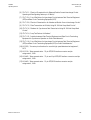
4. ‘Set Erase Commands’ as shown below (change % LTU address according to slot position, if
required).
5. Make sure that the link to the NTU is running.
6. Start Action ‘Erase and prepare Loading’.
Revision: 2002-09-10
112