1
How CAN works:
Introduction:
1
Main Features of CAN:
3
CAN System Layout:
3
CAN Node Schematic:
4
A Tiny CAN Network with no Transceiver ICs:
4
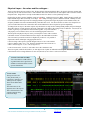
Physical Layer: the wires and voltages: a real waveform with oscilloscope:
5
The CAN Frame: the Programming Model:
6
Other Bit Fields: Bit Stuffing, Bus loading, Bus Speed:
7
Bus Errors, Bus Faults:
8
Is NOT CAN but useful: Multiple CAN frames, Types of Frames and Time-outs:
9
Sequence of Transmitting CAN Data:
10
Sequence of Receiving CAN Data:
11
CAN FD: A new CAN protocol:
12
CAN Controllers and their Errata Sheets:
13
Test Tools and Software:
13
Keil CAN demonstration software:
14
STMicroelectronics CAN Controller:
14
CAN Demonstration hands-on Example (using the free Keil Simulator):
15
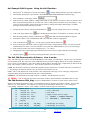
How the Keil CAN Demonstration software works:
15-17
Viewing Program Flow with Instruction Trace:
17
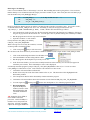
Viewing CAN Frames Graphically, Code Coverage, Performance Analysis, Execution Profiler:
18-19
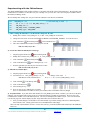
Experimenting with the CAN Software exercises: changing the CAN fields:
20
Getting a CAN Network to run on a real board (Discovery STM32F4):
21
Running the Example CAN Program on the Discovery:
22
Serial Wire Viewer (SWV) Exception (including Interrupts) Tracing:
23
SWV Data Write Tracing:
24
CAN Waveform obtained on the Discovery:
25
A practical debugging example with SWV Data Write Tracing:
25
Watchpoints:
26
PC Samples, Watch and Memory Windows:
27
Experimenting with the CAN Software exercises: changing the CAN fields:
28
More Useful Information:
How to Determine the CAN Frequency:
29
Four Newbie CAN Mistakes YOU can avoid:
29
Useful Documents:
29
How can I learn more about CAN ?
29
How can trace help me find problems?
30
Serial Wire Viewer and ETM Trace Summary:
30
Keil Products and Contact Information:
31
2
CAN: Controller Area Network Lab using ST STM32 Cortex-M processors.
Copyright © 2013 ARM Ltd. All rights reserved
www.keil.com