1
Power Management
3
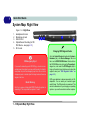
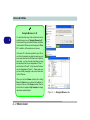
Port Replicator
AC/DC Adapter
You will be provided
with a 90W AC/DC
adapter if you purchase the port replicator option.
If you are using the
computer with the Port
Replicator, then you
must use the 90W
AC/DC adapter to
power the port replicator and computer (DO
NOT USE the computer’s 65W AC/DC
adapter to power the
Port Replicator). See
“Port
Replicator
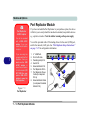
Module” on page 7 14 for more information.
The Power Sources
The computer can be powered by either an AC/DC adapter or a battery pack.
AC/DC Adapter
Use only the AC/DC adapter that comes with your computer. The wrong type
of AC/DC adapter will damage the computer and its components.
1.
2.
3.
4.
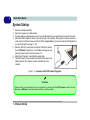
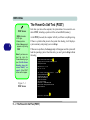
Attach the AC/DC adapter to the DC-in jack on the right of the computer.
Plug the AC power cord into an outlet, and then connect the AC power cord
to the AC/DC adapter (see sidebar if you are using the optional Port
Replicator).
Raise the lid/LCD to a comfortable viewing angle.
Press the power button to turn “On”.
Battery
The battery allows you to use your computer while you are on the road or
when an electrical outlet is unavailable. Battery life varies depending on the
applications and the configuration you're using. To increase battery life, let
the battery discharge completely before recharging (see “How do I completely discharge the battery?” on page 3 - 12).
We recommend that you do not remove the battery. For more information on
the battery, please refer to “Battery Information” on page 3 - 9.
3 - 2 The Power Sources