1
SC-27_25.book Page 65 Monday, April 6, 2009 7:15 PM
Listening to your system
06
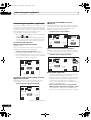
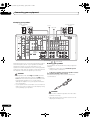
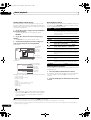
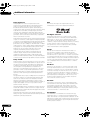
Using Front Stage Surround Advance
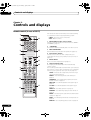
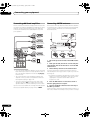
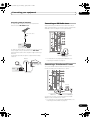
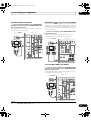
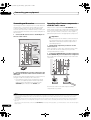
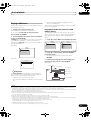
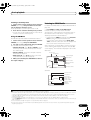
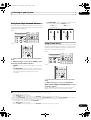
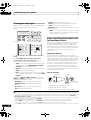
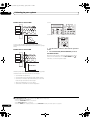
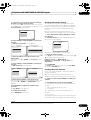
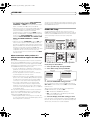
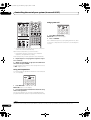
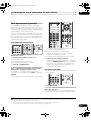
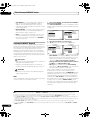
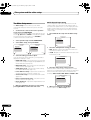
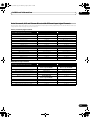
• F.S.SURR WIDE – Use to provide a surround sound
effect to a wider area than FOCUS mode.2
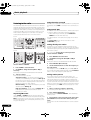
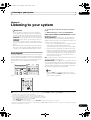
The Front Stage Surround Advance function allows you to
create natural surround sound effects using just the front
speakers and the subwoofer.
STATUS
CH
RECEIVER
VOL
PHASE CTRL
THX
MPX
AUTO/ALC/
DIRECT
STEREO
PGM
MENU
VOL
SIGNAL SEL SLEEP
A.ATT
TVCONTROL
SBch
PQLS
CH LEVEL
MEMORY
STANDARD ADV SURR
DIMMER
AUDIO
MCACC
INFO
DISP
SC-25:
AUTO/ALC/
MENU
DIRECT STEREO STANDARD ADV SURR
PGM
HDD
THX
DVD
PHASE CTRL
ANT
MPX
AUDIO
INFO
STATUS
PQLS
Front right
speaker
Front left
speaker
TUNE
iPod CTRL
SOURCE
Front right
speaker
Front left
speaker
SC-27:
TV
WIDE position
FOCUS position
(Recommended)
MEMORY
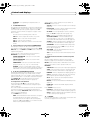
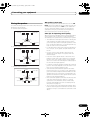
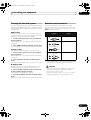
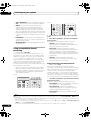
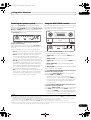
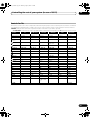
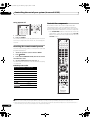
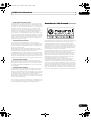
Using Stream Direct
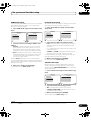
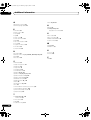
Use the Stream Direct modes when you want to hear the
truest possible reproduction of a source. All unnecessary
signal processing is bypassed, and you’re left with the
pure analog or digital sound source.
SC-27:
CH
MENU
iPod CTRL
DISP
TUNE
STATUS
PHASE CTRL
CH LEVEL
MULTI OPE TV CTRL RECEIVER
REMOTE
SETUP
TV
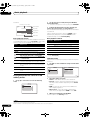
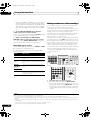
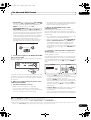
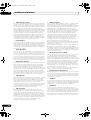
1 Set the remote control to the receiver operation
mode.
2 While listening to a source, press STEREO to select
Front Stage Surround Advance modes.1
• STEREO – See Listening in stereo above for more on
this.
• F.S.SURR FOCUS – Use to provide a rich surround
sound effect directed to the center of where the front
left and right speakers sound projection area
converges.
SOURCE
CH
RECEIVER
VOL
THX
MPX
AUTO/ALC/
DIRECT
STEREO
PGM
MENU
VOL
SIGNAL SEL SLEEP
A.ATT
TVCONTROL
SBch
PQLS
MEMORY
STANDARD ADV SURR
DIMMER
AUDIO
MCACC
INFO
SC-25:
AUTO/ALC/
MENU
DIRECT STEREO STANDARD ADV SURR
PGM
HDD
THX
DVD
PHASE CTRL
ANT
MPX
AUDIO
INFO
STATUS
PQLS
MEMORY
CH
DISP
MULTI OPE TV CTRL RECEIVER
REMOTE
SETUP
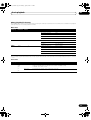
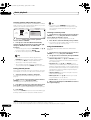
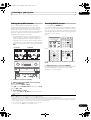
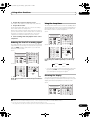
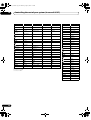
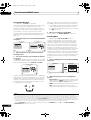
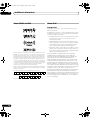
1 Set the remote control to the receiver operation
mode.
2 While listening to a source, press AUTO/ALC/
DIRECT (AUTO SURR/ALC/STREAM DIRECT) to select
the mode you want.3
Check the digital format indicators in the front panel
display to see how the source is being processed.
Note
1 The Front Stage Surround Advance mode cannot be selected in the following cases:
– When headphones are plugged in.
– When MULTI CH IN input is selected.
– When the HDMI audio output parameter is set to THROUGH in Setting the Audio options on page 88.
2 When using F.S.SURR WIDE, a better effect can be obtained if the Full Auto MCACC procedure under Advanced MCACC is performed. For
more on this, refer to Automatically setting up for surround sound (Auto MCACC & Full Band Phase Control) on page 46.
3 The Stream Direct mode cannot be selected in the following cases:
– When headphones are plugged in (except PURE DIRECT).
– When MULTI CH IN input is selected.
– When the HDMI audio output parameter is set to THROUGH in Setting the Audio options on page 88.
65
en