1
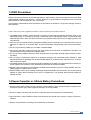
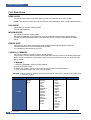
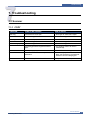
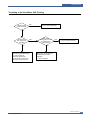
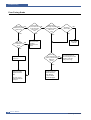
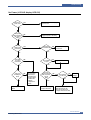
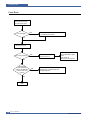
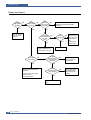
Troubleshooting
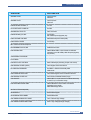
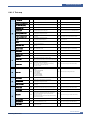
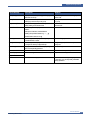
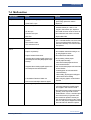
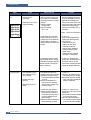
Fault
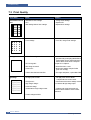
White or Black
spot
Digital Printer
Digital Printer
Digital Printer
Digital Printer
Digital Printer
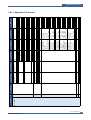
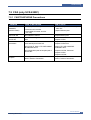
Recycled product
Signs
Cause & Check
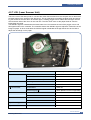
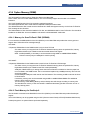
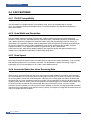
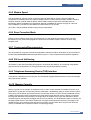
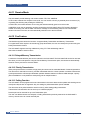
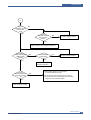
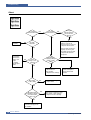
• Light or dark black dots on 1. If light or dark periodical black
the image occur
dots occur, this is because the
periodically.
deve rollers are contaminated
with foreign substance or paper
• White spots occur in the
particles.
image periodically.
(1)38.3mm interval :
Charged roller
(2)94.3mm interval :
OPC cycle
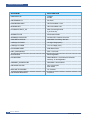
Solution
1. In case of 1 above Run OPC Cleaning Mode Print
4-5 times repeatedly to remove.
Especially check foreign substance on the OPC surface, then
remove them with a clean gauze
moistened with IPA(Isopropyl
Alcohol) not to damage OPC if
necessary.
Caution : Never use usual alcohol.
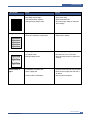
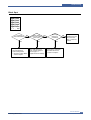
• Poor appearance of the
toner cartridge and the
drum cartridge.
• Unclean and rough
printouts.
• Bad background in the
image.
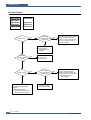
2. If white spots occur in a black
image at intervals of 94.3 mm,
or black spots occur elsewhere,
the OPC drum is damaged or
foreign substance is stuck to the
surface.
2. In case of 2 If they are not disappeared by
running OPC Cleaning Mode
Print 4-5 times.
: at intervals of 94.3mm Replace the OPC Drum.
: at intervals of 38.3mm Remove foreign substance,
Clean the Charged Roller
: Broken image Replace the toner cartridge
according to carelessness.
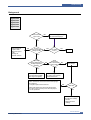
3. If a black and white or graphic
image is partially broken at irregular intervals, the transfer roller's life
has been expired or the transfer
voltage is abnormal.
3. In case of 3 - Exchange the
transfer roller because the life of
the transfer roller in use has
been expired. (Check the transfer
voltage and readjust if different.)
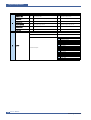
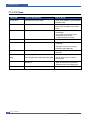
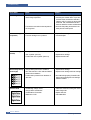
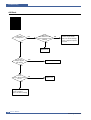
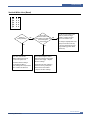
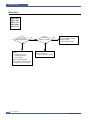
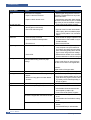
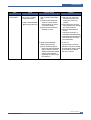
1. Poor appearance of the toner
1. In case of 1 cartridge and the drum cartridge.
(1)If there is an evidence of dis(1)Check the damage to label
assembling the toner cartridge.
and whether different materials
(2)If materials other than normal
are used.
parts of the toner cartridge are
(2)Check the appearance of
added or substituted.
parts of the toner cartridge
and the drum cartridge, such
as frame, hopper.
2. Unclean and rough printouts.
2. In case of 2 - If there are any
(1)Check whether foreign subabnormals in connection with the
stance or toner are stuck to
situation of 1.
the terminal (contact point) of
(1)It occurs when the toner cartridge
the toner cartridge and the
is recycled over 2 times.
drum cartridge.
(2)If toner nearly being expired
(2)Check whether the state of the
are collected to use, it is judged
terminal assembly is normal.
as the recycled toner cartridge.
7-30
Service Manual
Samsung Electronics