1
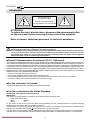
HT 200/250 1 WARNINGS CAUTION RISK OF ELECTRIC SHOCK! DO NOT REMOVE THE TOP COVER ! ATTENTION: To reduce the risk of electric shock, disconnect the power supply cable on the rear panel before removing the top cover of the projector. Refer to trained, authorised personnel for technical assistance. ATTENTION: Prior to switching on the projector please read each chapter of this manual carefully as this manual provides basic instructions for using the projector. The installation of the lamp assembly, preliminary adjustments and procedures that necessitate the removal of the top cover, must be carried out by authorised, trained technicians. There are no user serviceable parts inside. To ensure safe and long term reliability please use power cables supplied with the projector. Observe all warnings and cautions. • Federal Communication Commission (F.C.C. Statement) This equipment has been tested and found to comply with the limits for a Class B digital device, pursuant to Part 15 of the FCC rules. These limits are designed to provide reasonable protection against harmful interference when the equipment is used in a commercial environment. This equipment generates, uses and can radiate radio frequency energy and, if not installed and used in accordance with the instruction manual, may cause harmful interference to radio communications. However, there is no guarantee that interference will not occur in a particular installation. If this equipment does cause harmful interference to radio or television reception, which can be determinated by turning the equipment off and on, the user is encuraged to try to correct the interference by one or more that following measures: - Reorient or relocate the receiving antenna - Increase the separation between the equipment and receiver. - Connect the equipment into an outlet on a circuit different from that to which the receiver is connected. - Consult the dealer or an experienced radio/TV technician for help. • For the customers in Canada: This Class B digital apparatus complies with Canadian ICES-003. • For the customers in the United Kingdom ATTENTION: This apparatus must be earthed IMPORTANT The wires in this mains lead are coloured in accordance with the following code: Green-and-Yellow: Earth Blue: Neutral Brown: Live As the colours of the wires in the mains lead of this apparatus may not correspond with the coloured markings identifying the terminals in your plug proceed as follows: The wire which is coloured green-and-yellow must be connected to the terminal in the plug which is marked by the letter E or by the safety earth symbol or coloured green or green-and-yellow. The wire which is coloured blue must be connected to the terminal which is marked with the letter N or coloured black. The wire which is coloured brown must be connected to the terminal which is marked with the letter L or coloured red. Downloaded From projector-manual.com Sim2 Manuals 4