1
Reference Guide
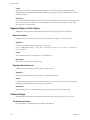
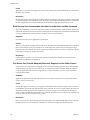
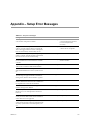
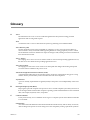
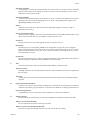
Table A-1. Setup Error Messages (Continued)
198
Message
Pri
Sec
Level
113 - You do not have enough total memory to install
vCenter Server Heartbeat on your #1# server. You
must have at least 1GB.
Yes
Yes
Critical Stop
VMware recommend a minimum of 2GB. Note actual
memory requirements depend on the application
load; and may require more memory.
Yes
Yes
Warning
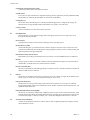
117 - You do not have enough free disk space to install
vCenter Server Heartbeat. You must have at least 2GB
available.
Yes
Yes
Critical Stop
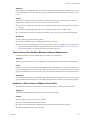
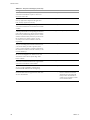
118 - For every volume on the primary system that
contains protected data a corresponding volume must
exist on the secondary server. In most cases this means
that for every volume on the primary server a volume
with the same drive letter (such as D:\) must exist on
the secondary server. If this is not the case, the
secondary server must be modified to meet this
requirement.
-
Yes
Warning
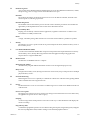
204 - Your operating system on your #1# server is #2#
and you are running with a Windows 2000 driver for
your NC77xx NIC(s). In order to prevent system
crashes you must upgrade to a Windows 2003 driver;
the name for those drivers ends with '57XP32.sys' and
not with '57W2K.sys'
Yes
Yes
Critical Stop
212 - The number of Free System Page Table Entries on
this server has dropped to #1#. This is too low. You
should have at least #2# Free System Page Table
Entries available.
Yes
Yes
Critical Stop
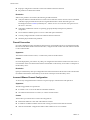
201 - #1#: This service is incompatible with running
vCenter Server Heartbeat and must be stopped before
vCenter Server Heartbeat can be installed.
Yes
Yes
Warning
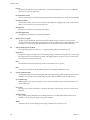
209 - Double-Take drivers have been detected on this
server. To avoid compatibility problems please
uninstall Double-Take before re-running setup.
Yes
Yes
Critical Stop
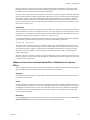
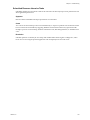
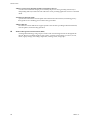
Oracle has been detected on this Server. vCenter
Server Heartbeat does not support Oracle on the same
server as VirtualCenter.
Yes
Yes
Critical Stop
Test
Compatibility check on secondary.
It is recommended that you move
Oracle to another server before
attempting to re-run Setup, OR
that you move VirtualCenter to
another server and deploy vCenter
Server Heartbeat there.
VMware, Inc.