1
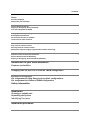
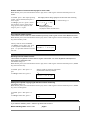
Record Announcements
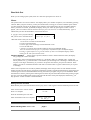
Hold handset press #. the announcement starts to play, press # again From the main menu press 1 for record
Enter announcement number or press #
to accept the one offered.
Ann 1 Record
1..9-?
#-start
or if the announcement exists.
Enter announcement number or press #
to accept the one offered.
Ann 1 Re-record?
0..9-?
#-start
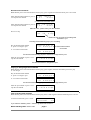
After the tone, speak clearly into the handset
Ann 01 Recording
free
512
#-stop
Press # to stop
Shows the free seconds of recording time
available to you
Pressing # automatically plays your recording.
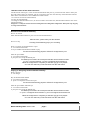
Key in announcement number
or press # to assign to port
3 Playing Time 12
1..63
#-Assign tÒ
or ∗ to return to main menu
3 End
1..63
12 seconds
#-Assign tÒ
Shows the duration
in seconds
The announcement being played is offered for assignment to port.
Enter the port number or press # to accept the one offered.
Assign Ann 01
to line 01 #-accept
The announcement is assigned to port.
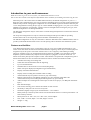
Playing or Assigning Announcements
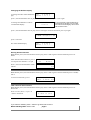
Hold handset press #. the announcement starts to play, press # again, From the main menu press 2 for play
or 3 for assign.
Key in announcement number
or press # to assign to port
3 Playing Time 12
1..63
#-Assign tÒ
or ∗ to return to main menu
3 End
1..63
12 seconds
#-Assign tÒ
The announcement being played is offered for assignment to port.
Enter the port number or press # to accept the one offered.
Assign Ann 01
to line 01 #-accept
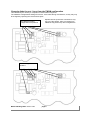
Free recording time available
Hold handset press #, the announcement starts to play, Press # and # again. From the 2nd menu press 1 for size.
To return to 2nd menu, press # twice.
Free memory size
523 seconds
#→
if you make a mistake, press∗ button to go back and correct it.
Model 299 Ring Start version 9.09
page 4