1
Keypad Programming
Section 5 - Conventional Mode Features
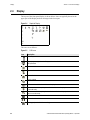
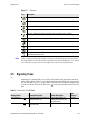
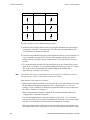
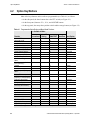
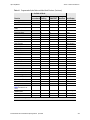
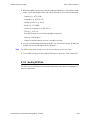
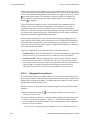
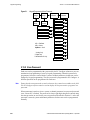
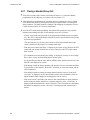
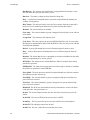
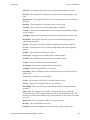
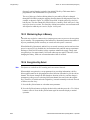
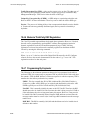
Figure 5.1
Keypad Programming Menu Flowchart
Channel
Change
Zone
Change
System
Parameters
Channel
Parameters
Tx Freq
Select
Channel
Select
Zone
Rx Freq
Squelch Adj*
Scan Hold Timer
Chan Spacing*
Tx Timer
Key Select
Penalty Timer
Strapping
Conver. Timer
Talk Grp ID**
Chan Alias
<F1> = Exit/Back
<F2> = Select
Tx Tmr On-Off
Up/Down = Scroll
Tx Power
Tx Code/NAC
* Analog Only
** Digital Only
*** Mixed Mode Ch Only
Rx Code/NAC
Tx Type Sel***
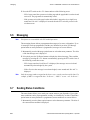
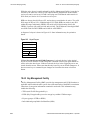
5.15.2 Zone Password
Each zone can be programmed with a password by the PC Configure software to prevent
unauthorized reprogramming of zone by keypad programming. When this password is
programmed, it must be entered before system or channel parameters in that zone can be
changed by keypad programming. The zone password is programmed in PC Configure. A
different password can be programmed for each zone.
Note
Ensure that the zone passwords are not lost because they cannot be overridden in the field.
The PC Configure software must be used to display the lost password or program a new
password.
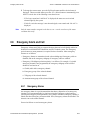
When an attempt is made to select a system or channel parameter in a password protected
zone, “Password” is flashed. The password is always eight digits long and is entered using
the same procedure as used for the power-up password described in Section 3.2. After the
password is entered, system and channel parameters for that zone can be reprogrammed
normally.
5-26
5100 ES Models II/III Portable Radio Operating Manual April 2009