1
Parker Hannifin
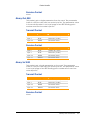
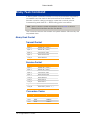
Drive Status Flags
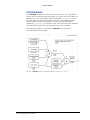
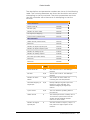
You can get status data of an Aries drive. On power up the
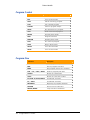
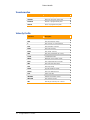
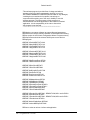
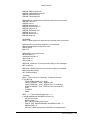
controller does not contain drive status data. In the “Drive Talk DriveControl Flags” (bit index 8-25) you can select what status data the
controller gets. Then set the “Get Drive Data Request” bit (bit index
4) to retrieve the status data. The controller stores the drive status
data in the “Drive Talk Parameters”.
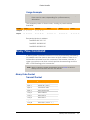
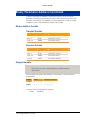
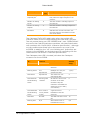
The “Drive Talk Drive-Control Flags” also contain “Drive Talk Drive
Status 1” and “Drive Talk Drive Status 2” bits (bit indexes 28 and 29).
Unlike bit indexes 8-25, the data retrieved for bit indexes 28 and 29
are stored in the “Drive Talk Drive Status 1 Flag” and “Drive Talk Drive
Status 2 Flag” bits.
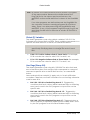
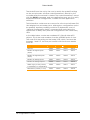
► To indicate what status data you want, set the “Drive Talk DriveControl Flags” (bit index 8-29).
► To get drive status data, set the “Get Drive Data Request” bit
(bit index 4, “Drive Talk Drive-Control Flags”).
NOTE: The rate at which the controller updates data is governed
by the number of participating axes and the baud at which
Drive Talk communication is set.
Using Drive Talk
The most sensible way to enable Drive Talk is through a program. If
you have a startup program (see the PBOOT command) for your
ACR controller, consider including the Drive Talk code in it.
NOTE: Be sure all Aries drives are connected to the ACR controller
before power up (due to the Aries communication autodetect—see the section titled Communication, above).
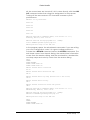
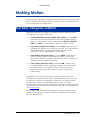
To enable Drive Talk, do the following:
1.
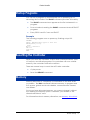
Send the OPEN DTALK command as follows:
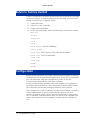
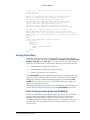
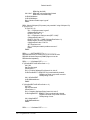
OPEN DTALK “COM2:9600,N,8,1” AS #1
2.
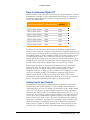
Set the “Communication Device” parameter (in “Drive Talk
Parameters”) for each axis to which an Aries drive is
connected.
3.
Set the “Drive Type” parameter (in “Drive Talk Parameters”) to
zero (Aries) for each axis to which an Aries drive is connected.
4.
Clear the “Stream Drive Lost”, “Stream Drive Timeout”, and
“Stream Address Error” bits for COM2 (bits 1112, 11123, and
11124 in “Stream Flags for Drive Talk COM2”).
5.
Set the “Auto Address Request” bit (in “Drive Talk Drive-Control
Flags”) for each axis to which an Aries drive is connected.
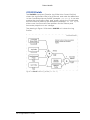
Once set up, you can do the following You can then get and send
configuration data, set the error log for the drive, and get drive
status data.
Additional Features 167