1
8.2
Navigation in the display
Lighting of the display
After pressing the ENTER key in automatic operation, the display lighting is switched
on. If no key is pressed within 30 seconds, the display lighting automatically goes out.
The setup menu enables selection between continuous or automatic lighting. Through
pressing the ENTER key, the display lighting is switched on again.
8.3
Main menu
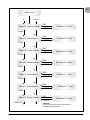
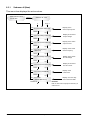
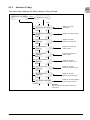
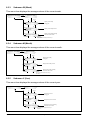
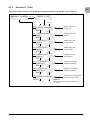
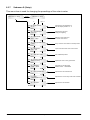
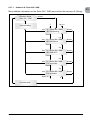
The main menu consists of 7 menu items which are subdivided into submenus:
●●
Menu N (Now)
●●
Menu D (Day)
●●
Menu W (Week)
●●
Menu M (Month)
●●
Menu Y (Year)
●●
Menu T (Total)
●●
Menu S (Setup)
Handling of the menu items:
You can scroll the main menu by activating the selector keys
.
Press the ENTER key to select the submenus. In order to exit the menus again, activate the ESC key.
24
Operation and installation manual SOLIVIA 3.3 AP G3 TR